Your Adobe brief is open in Photoshop. You have revision notes from a client. You screenshot the design, open a new Claude tab, paste the image, describe the feedback, copy the suggestions back, return to Photoshop. Twenty minutes. Every iteration cycle.
That's not an AI limitation. It's a plumbing problem. Claude already knows what to do the moment it sees the image. The tools just don't talk to each other.
On 28 April, Anthropic released a set of connectors built specifically for creative professionals. Actual live connections between Claude and tools like Ableton Live and Adobe Creative Cloud. For Australian agencies, in-house creative teams, and independent designers and producers, this changes the daily texture of working with AI.
The Ableton connector: documentation that matches your current version
The Ableton Live and Push connector grounds Claude in official Ableton documentation for the current release. For music producers and audio designers working out of Melbourne and Sydney studios, this matters more than it sounds. Asking Claude about Live routing in a general conversation is a known gamble. The answer reflects a blend of documentation versions and training data. Confident most of the time. Confidently wrong the rest. The connector changes that.
The practical gains are in the details. Troubleshooting a Max for Live device, getting step-accurate answers on MIDI routing, understanding how a specific Push workflow behaves in the version you're actually running. Not glamorous work. The kind that costs half an hour of Googling if you don't have it.
The Adobe connector: assets that move in both directions
The Adobe for Creativity connector does something different. It moves assets between Adobe products and Claude, in both directions. A designer in Photoshop can ask Claude to suggest compositional variants on an existing layout and receive structured suggestions without leaving Creative Cloud. An art director can push a design for critique and return to the file in the same session.
The friction it removes is the round-trip. Export, open Claude, paste, copy suggestions, re-import: five steps that now collapse to one. For an Australian agency running Creative Cloud across eight to twelve designers, that compression across a full working week is worth tracking.
The broader wave these connectors sit inside
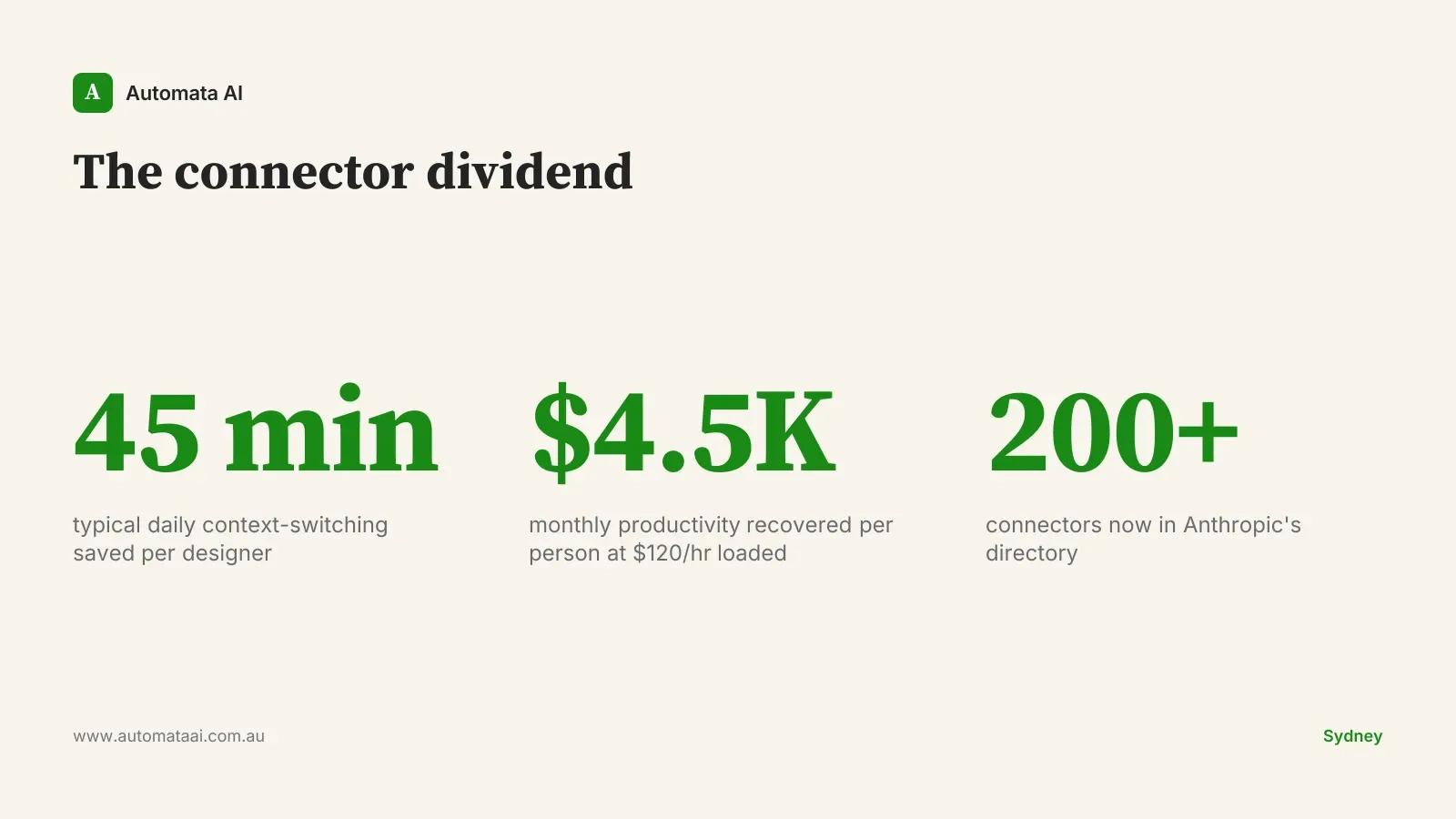
Anthropic has been expanding the connector directory at pace. The creative-work batch joins a catalogue now above 200. The cumulative effect is a change in how Claude sits in a workflow. It stops being the general assistant you tab out to consult and starts being something that knows the specific tools your team runs every day.
The productivity argument is concrete. A mid-level designer in an Australian creative agency is fully loaded at roughly $100–$120 per hour when you account for salary, superannuation, software licences, and overheads. If connector integration removes 45 minutes of context-switching per day (a conservative estimate for a team actively running Claude), that is $3,500–$4,500 per month per person recovered before you model any additional creative output.
Three segments, three different wins
Independent creators and freelancers
The individual gain is sharpest here. Claude with Ableton and Adobe connectors is effectively a technical assistant that knows your stack. For Australian freelancers competing with offshore talent on rate, that specificity matters. You're quoting $120–$150 per hour against competitors quoting $30. The arithmetic only works in your favour if your output per hour is demonstrably different. Faster iteration cycles and fewer revision rounds. That's where the rate differential gets justified.
Agencies (10–50 staff)
The win is throughput. Australian boutique agencies run on tight margins. If connector integration allows a designer to handle 25–30 per cent more iteration volume in the same hours, which is achievable on revision-heavy campaign work, the impact on a $2M–$5M revenue agency is real. That is either room to grow revenue without adding headcount, or a structural cost advantage against competitors still running the manual workflow.
In-house creative teams at larger enterprises
The win is staying in-house. The pattern repeats across large Australian organisations: internal stakeholder requests something, in-house team quotes two weeks, stakeholder routes the work to an external agency. Senior creative time at an Australian agency runs $150–$250 per hour. In-house equivalents sit at $80–$120 per hour fully loaded. With faster iteration through Claude connectors, in-house teams can credibly quote two to three days on many requests and keep the work, context, and brand control internal.
When the connectors will not help you
These connectors remove friction from a workflow that already works. They don't build one from scratch.
Tool bottleneck is elsewhere. If projects stall at brief approval, account management sign-off, or client feedback latency, a faster creative iteration loop will not touch your actual constraint.
Volume is too low. For a solo freelancer running one or two projects a month, the manual workflow may not be a real constraint. The connectors pay off at volume.
Your clients have questions about AI in the process. A connector doesn't resolve the disclosure conversation. That's a separate decision that needs to happen first.
The connectors are multipliers, not starters. A creative team already running Claude productively will see meaningful gains. A team that isn't yet will not.
What to do in the next two weeks
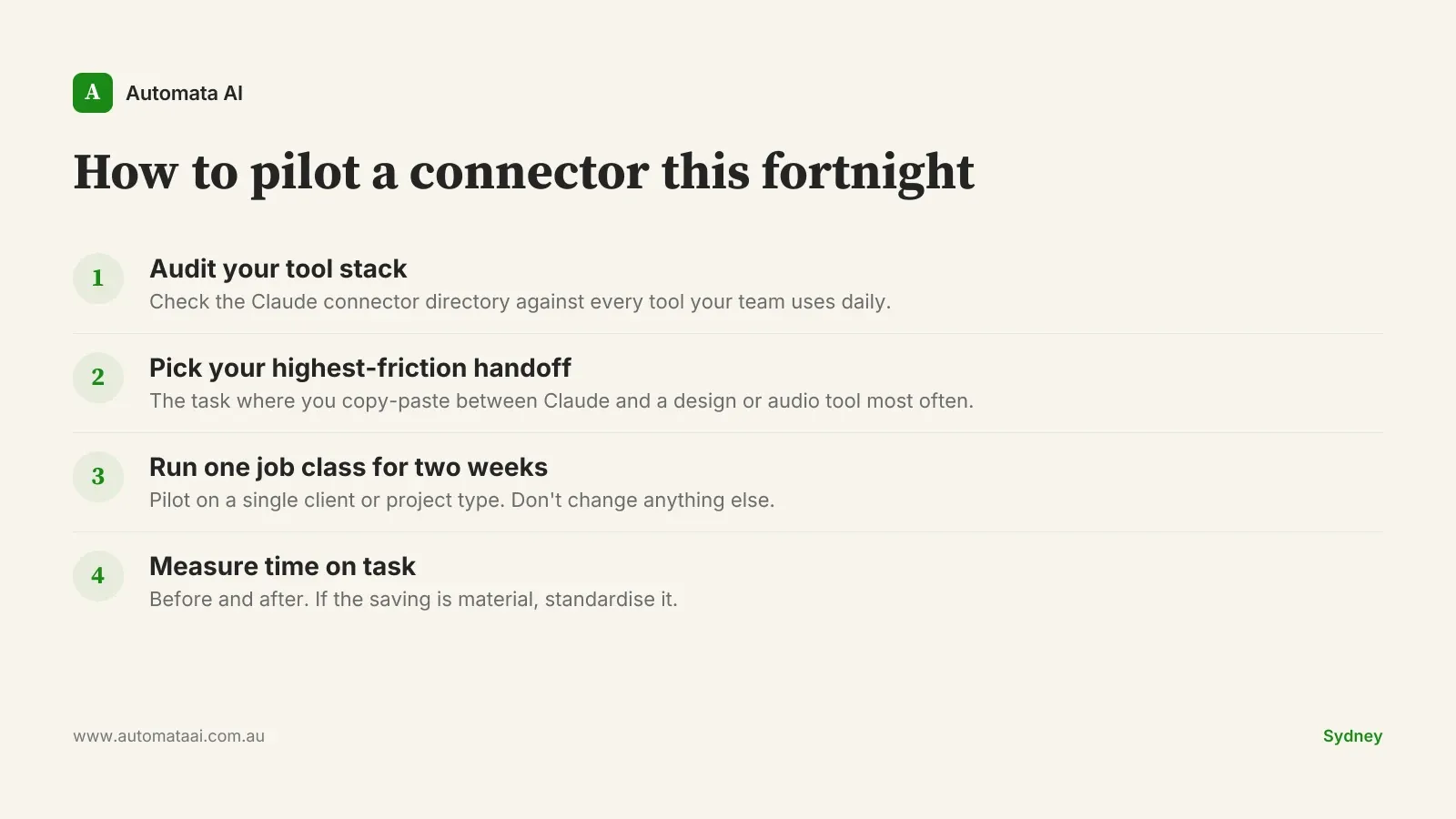
Audit your current tooling stack against the Claude connector directory. For each tool your team uses daily, check whether a connector exists or is in beta: design software, audio production tools, project management, content platforms. The Adobe and Ableton connectors are the headliners for creative work, but coverage in the broader directory is wider.
Pick the connector that maps to your highest-friction handoff. Run a pilot on a single job class for two weeks: all asset variant requests for one client, or all technical Ableton queries for one project. Measure time on task before and after. If the saving is real, make it standard workflow.
The teams that build this into their process in the next quarter won't announce it. They'll just be consistently faster than the ones that didn't.