Your SaaS team has chosen Claude as the model. The proof of concept worked. Now the engineering lead is looking at two paths: buy an agent platform that costs four times more than you budgeted for, or wire the raw Claude API into a for-loop and call it a product.
The decision sits at a $400,000 to $1.2M AUD build cost for a production-grade customer-facing agent, plus $200,000 to $600,000 a year in operating costs at scale. Build the architecture wrong and the rebuild costs the same again, nine months later, with a live product and unhappy customers. If you are still scoping the engagement, the AI Readiness Assessment can help you define what v1 should actually include before the first line of code is committed.
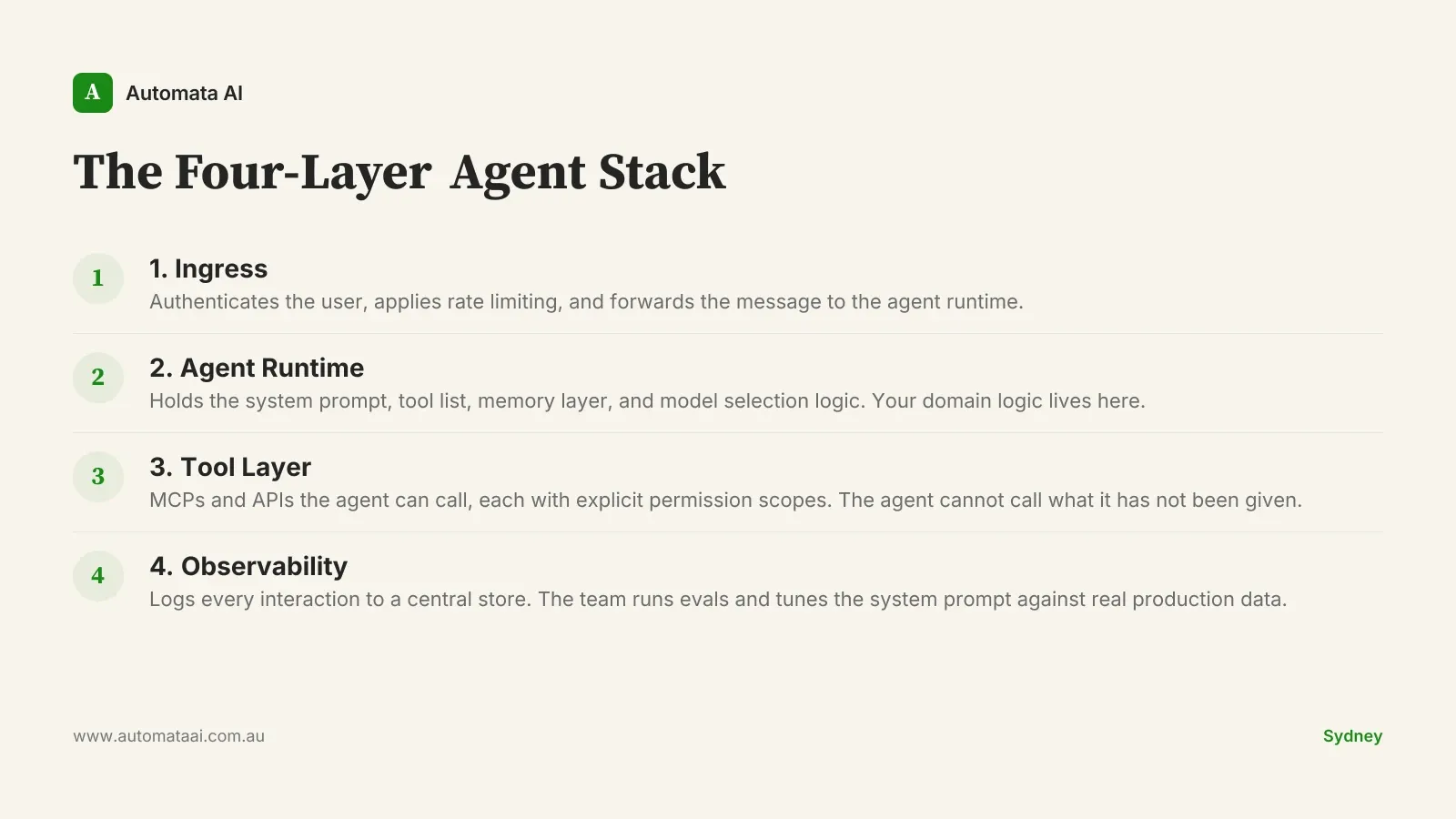
The Four-Layer Agent Stack
The Claude Agent SDK gives you the runtime. The architecture is your job. For Australian SaaS teams, where Privacy Act 1988 data-residency obligations apply to any system that touches customer PII, and where enterprise buyers in Sydney and Melbourne expect SOC 2 audit trails, the architecture choices carry compliance weight. The pattern below is a reference, not a prescription. Adapt it to your stack and your risk profile.
Ingress. The customer-facing surface: a web chat widget or in-product side panel. It authenticates the user, applies rate limiting, and forwards the message to the agent runtime.
Agent runtime. The Claude Agent SDK process. It holds the system prompt, the tool list, the memory layer, and the model selection logic. This is where your domain logic lives and where your team owns the IP.
Tool layer. The MCPs and APIs the agent can call: customer record lookup, ticket creation, knowledge base search, billing actions. Each tool carries explicit permission scopes. The agent cannot call what it has not been given.
Observability. Every interaction logs to a central store. The team reviews failures, runs evals, and tunes the system prompt against real production data over time.
Layer 2 is where most teams underinvest. The system prompt is not a configuration file you write once and forget. It is a living document, versioned in Git, reviewed after every eval cycle, and treated with the same discipline as a production schema migration. The tool definitions are contracts. Change one without reviewing the downstream effects and you will break agent behaviour in ways that are difficult to trace. Teams that treat system prompts as boilerplate file incident reports nine months later wondering why the agent started issuing incorrect billing credits to customers.
What v1 Should Actually Ship
The agents that reach production in under eight weeks share one trait: they shipped less than the product team wanted. Scope decisions at the architecture stage are what turn a six-month build into a twelve-month one. Decide the constraints before you decide the features.
Three to five tools, maximum. Clearly bounded, each with a tested failure path for when the tool returns an error or an unexpected result.
System prompt under 300 lines. Focused on the use case. Not a catch-all that tries to handle every scenario the team can imagine.
Session-scoped memory only. No cross-session persistence until the agent has 60 days of production behaviour behind it.
A human handoff path. When the agent is uncertain, it says so and escalates. Politely.
The teams that add cross-session memory in v1 almost always regret it. Not because the feature is difficult to implement. Because persisting context before you have 60 days of production signal means you are storing noise and calling it memory. The agent learns the wrong patterns quickly and confidently.
When the Agent SDK Is the Wrong Choice
Not every SaaS team should build with the Claude Agent SDK right now. Some are better served by a simpler integration. Others are not ready for the operational overhead a production agent demands, regardless of which SDK they use. Knowing when to wait is not a failure of ambition. It is how you avoid spending $600,000 on something you will have to rebuild.
Your v1 is a single-intent chatbot. If there is no multi-step tool use, a prompt-chained API call is faster and cheaper. The SDK overhead is not justified.
Your team has no eval culture. Agent behaviour drifts. Without a regular eval cycle over production interactions, you will not catch drift until a customer does.
Your data layer is inconsistent. A customer-facing agent calling tools against incomplete or contradictory data will hallucinate confidently and at scale. Fix the data layer first.
Your business rules change every quarter. Keeping system prompts and tool definitions current under constant rule churn becomes a maintenance liability faster than most teams expect.
Three Practices That Separate Success from Regret
Run a daily eval over the last 200 interactions. Automated, with a human reviewing the flagged rows. You catch drift before your customers do.
Keep a tight loop between customer support and the agent team. Support knows which agent responses are wrong before the eval pipeline does. A shared Slack channel and a weekly triage is the minimum. Our AI Automation Services include this feedback-loop design as a standard part of every agent build.
Version every system prompt change as a Git commit. With a branch, a diff, and a rollback path. When behaviour breaks, rollback is one command away.
The Cost Reality for Australian SaaS
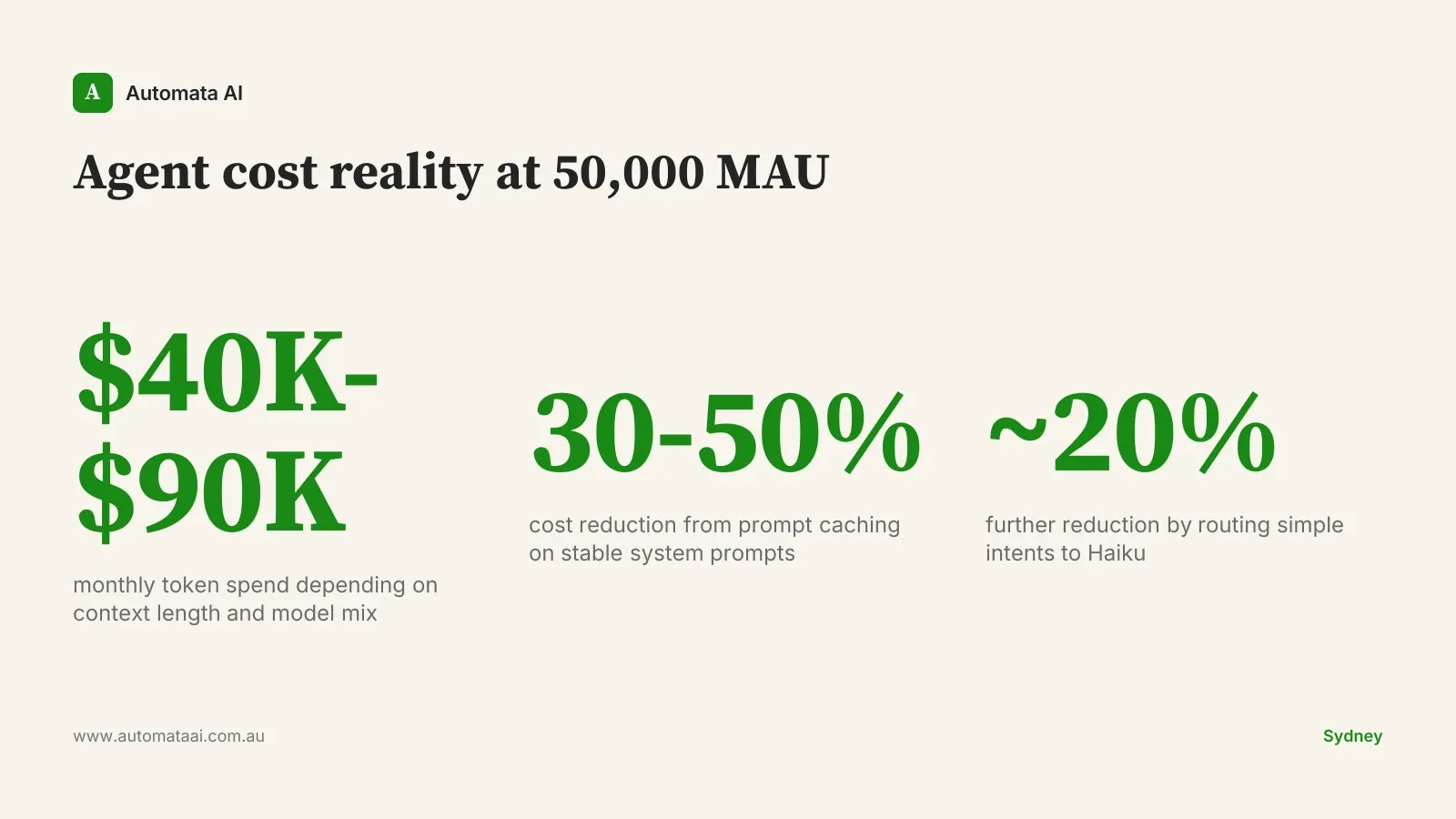
A 50,000-monthly-active-user agent typically costs $40,000 to $90,000 per month in token spend, depending on context window length and model mix. That is not a rounding error. It is a budget line that requires its own cost governance, separate from your infrastructure spend.
Prompt caching reduces spend by 30 to 50 percent for agents with long, stable system prompts. Routing simple intents to Haiku while reserving Opus for complex multi-step tool use cuts another 20 percent. At 50,000 MAU, these two optimisations together can save $20,000 to $40,000 AUD per month. Model your own scenario in the AUD Cost Calculator before taking a token-spend estimate to your CFO.
The SaaS teams in Sydney and Melbourne with working customer-facing agents in production in 2026 did not build everything at once. They picked one customer workflow, wired the SDK to it, ran it for 60 days with a daily eval cycle, and then decided what came next. Pick one. Ship it properly. The architecture you build for that first workflow is the one you will iterate from for years.