Your support agent went down at 2:47 pm on a Thursday. Not a code bug. Not an incident at Anthropic's end. A 429 from the Claude API: rate limit exceeded.
The customer queue backed up. The fallback path wasn't production-ready. The on-call engineer was in a client meeting. By the time it resolved, 30 minutes had passed and an overnight batch job had already started competing for tokens.
At $40,000 AUD in daily revenue, a 30-minute window costs roughly $830 in direct throughput. The harder cost is the enterprise client who was on the line during the degradation.
This is the shape of a capacity planning failure. It is also entirely preventable.
What rate limits actually are
The Claude API enforces three limits simultaneously: tokens per minute (input and output combined), requests per minute, and a daily token cap. Any one of them can trigger a 429.
Limits scale with your account tier on the Anthropic Console. An Australian mid-market account is typically on Tier 2 or Tier 3 after the first few months of production use, which gives 800,000 to 2,000,000 tokens per minute.
That sounds like a lot. It is not, once you have several concurrent workloads sharing the same account.
Before any capacity review, you need four numbers from your monitoring:
Peak tokens per minute. The highest single-minute window in the past 30 days, not the average.
Peak requests per minute. High request counts with low token payloads can hit the RPM ceiling independently.
95th-percentile usage. Your Friday afternoon spike, not your Tuesday morning baseline.
Buffer to tier ceiling. Current peak divided by your tier's TPM limit. If this ratio exceeds 0.60, keep reading.
The capacity floor rule
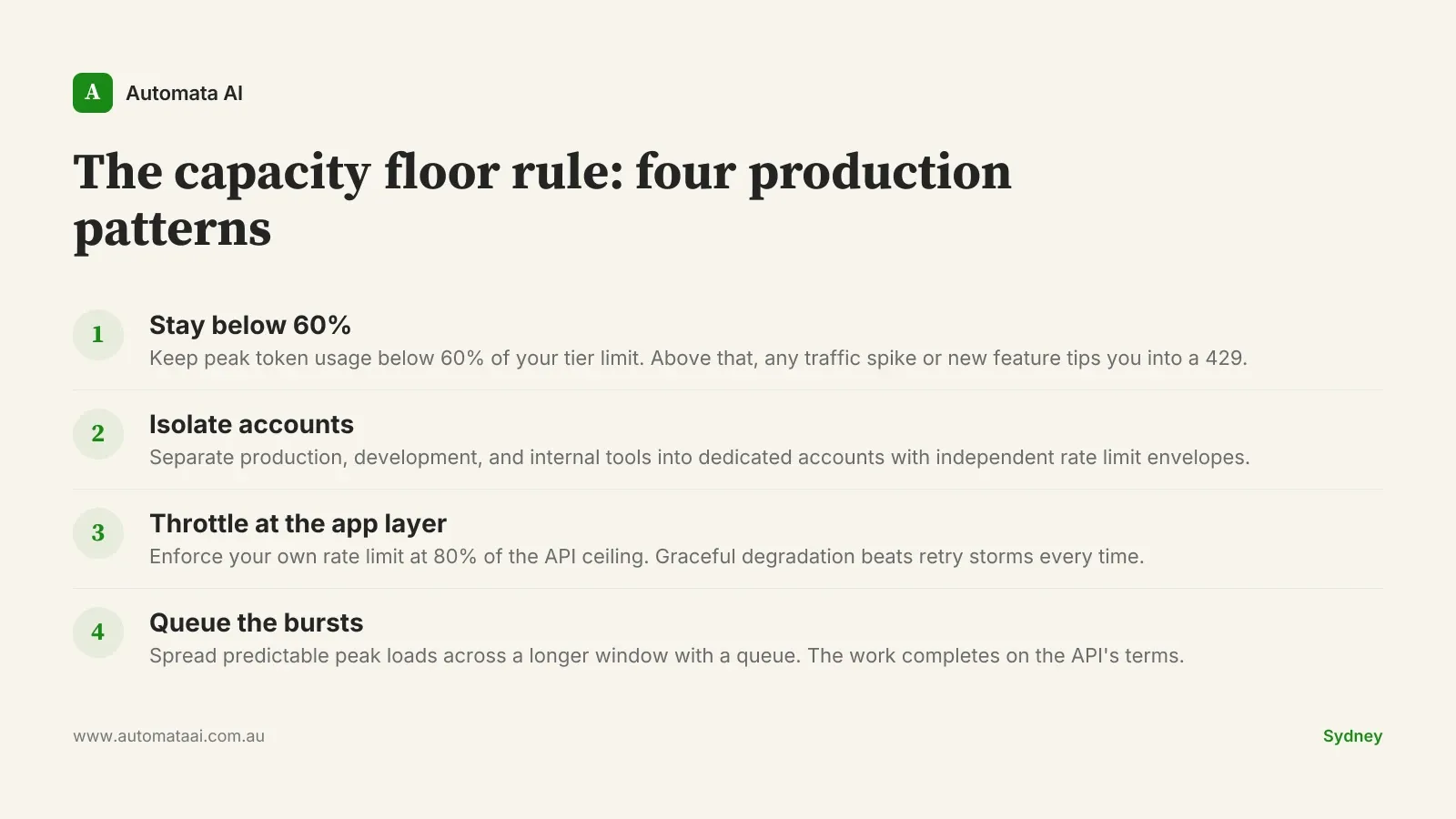
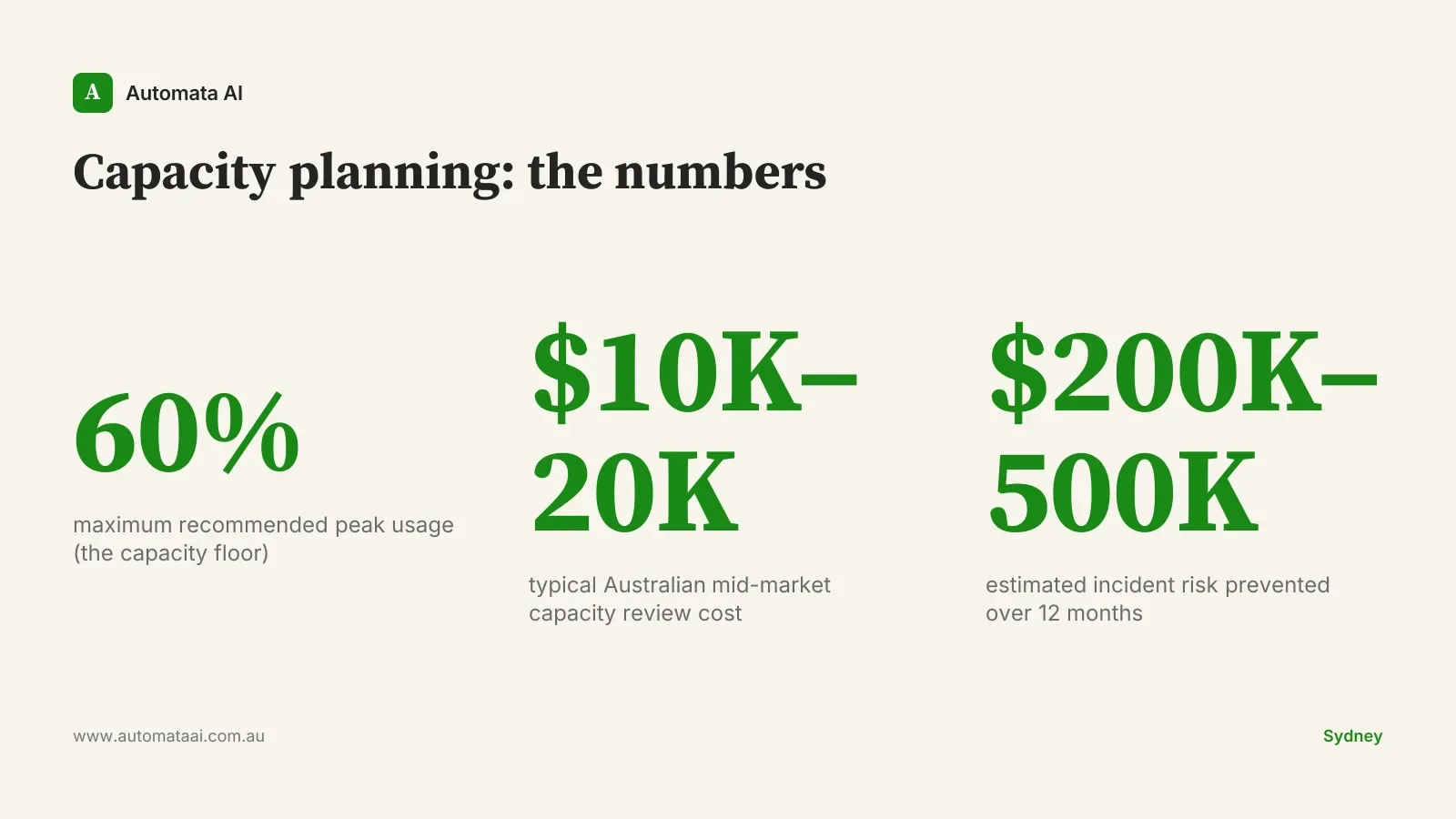
Keep peak usage below 60 percent of your rate limit tier. This is the capacity floor rule, and it is the single most useful number for planning production Claude deployments.
That buffer is not waste. It absorbs traffic spikes, accommodates new features that increase token consumption, and gives you runway before a tier upgrade request becomes necessary. Teams operating at 85–90 percent of their limit consistently hit the ceiling within a quarter, then request an upgrade while a production feature is already degrading.
The variance in peak-to-average usage on mid-market AI deployments typically runs 15–25 percent. Add one new workload and you need the remaining buffer. Plan for it before you need it.
Four patterns that prevent the ceiling
1. Tier headroom
If your current peak already exceeds 60 percent of your tier limit, the first action is requesting an upgrade, not a code fix. The upgrade process via the Anthropic Console takes 1–5 business days. That timeline is too slow to be your incident response plan. Capacity planning that starts after the first 429 is not planning.
2. Account isolation
For Australian teams running Claude via AWS Bedrock's Sydney inference profile (ap-southeast-2) alongside the direct Anthropic API, the correct architecture is account-level isolation. Production sits on a dedicated account with its own rate limit envelope. Development and internal tools sit elsewhere.
Production on AWS Bedrock (ap-southeast-2) with a dedicated Anthropic-linked account.
Development and staging on a separate direct Anthropic API account.
Internal tools (batch document processing, analytics pipelines) on a third account.
Emergency fallback on a second region or provider, configured and tested before you need it.
The value of isolation is containment. A runaway batch job on the dev account cannot take down the customer-facing feature.
3. Application-level throttling
The application layer should enforce its own rate limit set at 80 percent of the API ceiling. When the application throttle fires, the user gets a graceful degraded response. When the API limit fires, you get a 429 that triggers retry storms from every client simultaneously.
Retry storms are the failure mode that turns a 30-second limit hit into a 20-minute outage. The 429 is not the problem; the uncontrolled retry is.
4. Burst absorption
For workloads with predictable bursts (end-of-day batch runs, Friday afternoon support spikes, month-end reporting), use a queue to spread the load across a longer window. The work completes; it just completes on the API's terms, not all at once.
This is unglamorous infrastructure. It is also what separates a deployment that pages the on-call engineer at 5 pm on a Friday from one that does not.
When capacity planning isn't worth it
If your Claude API spend is under $2,000 AUD per month, formal capacity planning is overhead you do not need yet. A CloudWatch or Datadog alert on 429 error rate is sufficient. Investigate when it fires.
The patterns above are for teams running Claude at meaningful production scale: multiple concurrent workloads, customer-facing features, or batch jobs that exceed 500,000 tokens per run. If that is not you today, bookmark the framework and return when it is. The planning is easier before you hit the ceiling than after.
What a capacity review actually costs
A capacity review for an Australian mid-market AI deployment typically costs $10,000–$20,000, within the scope of our AI Automation Services Discovery tier. It maps current usage, models the 12-month trajectory as workloads grow, identifies the right account isolation structure, and produces implementation specs for the throttling and queue patterns.
The incident risk it prevents is harder to model precisely. A single major outage on a customer-facing AI feature (lost revenue, client escalation, engineering postmortem) typically costs $200,000–$500,000 for a mid-market operation. The review pays back in the first avoided incident.
If you want to run the numbers against your specific workload first, our ROI Calculator works through the payback math in AUD. Three minutes, no signup.
For teams where the numbers make sense, the next step is a direct conversation. Book a capacity planning session and we will scope it against your current infrastructure within the week.
The rate limit is not the problem. Finding out your limit in the middle of a customer incident is.