Your Claude integration writes excellent Python. The analysis script looks right, the logic is sound, and Claude explains every step. The question nobody has answered yet: where does it run?
Most Australian engineering teams conflate two separate decisions. The first: which model, which prompt, which tools. The second: where does the generated code actually execute, against which data, with which permissions. The first conversation happens in every Claude integration. The second rarely does. Not until someone raises a data-residency flag, or a risk review, or an APRA inspection. By then the architecture is already set.
Three execution surfaces, three different risk profiles
There are three patterns worth understanding for AU teams building Claude integrations that need to do more than generate code. They need to run it.
Local shell execution
Claude calls a tool that runs code directly in your local environment. Fast and simple, with zero infrastructure overhead. Also the most dangerous pattern by a wide margin. A data engineer prompts Claude to write a script that queries a production database, processes 50,000 rows, and exports a summary. That script runs with the permissions of whoever launched the session. Everything reachable from your shell is reachable from the Claude integration, which means the blast radius of a bad prompt or a manipulated input is your entire local environment. For internal developer tooling, where a senior engineer is running the session and understands what they are authorising, this is a reasonable starting point. For customer-facing integrations or anything touching sensitive data, it is not.
Managed sandbox via the Claude platform
Anthropic-hosted isolated execution environments handle the sandboxing for you. The model runs code in a container it does not control, with no persistent access to your production systems. This is the right call for most mid-market workloads: you do not operate the infrastructure, isolation is genuine, and the integration is straightforward. Costs scale with execution time. At typical AU enterprise volume, expect $1 to $3 per long-running job, which works out to $300 to $1,500 per month for a team running code execution at moderate frequency. For most Australian mid-market teams, this is where to start.
MCP-mediated execution
A custom MCP server running in your environment hosts the execution sandbox. You control which packages are available, which network endpoints are reachable, which data sources are accessible, and what gets logged. Claude communicates with your MCP server using standard protocol; the MCP server hands execution to a sandbox you own and operate. The integration surface is clean. The control surface is entirely yours.
Why APRA-regulated teams default to MCP-mediated
If your workloads sit in AI in Australian financial services territory (insurance, funds management, banking), three requirements tend to emerge that managed sandboxes do not fully resolve. APRA CPS 230 requires demonstrable controls over how data is accessed and processed. Managed sandbox providers can certify their own security posture, but they cannot easily produce granular execution logs, package manifests, and network egress records in the format an evidence request typically demands. The gap between 'we are secure' and 'here is the specific log of every operation the AI performed, in your format, from your systems' is material in a regulated context.
Data never leaves your environment. Compliance gets a clean yes, not a risk-acceptance conversation about shared infrastructure.
Package allow-listing is yours to own. You decide which Python libraries, which system calls, which network destinations are available to the Claude integration. The sandbox executes only what you have explicitly permitted.
Audit logs live in your systems. Every execution, every input, every output, retained and queryable in your SIEM or audit store. APRA inspectors and ASIC reviewers get exactly what they ask for, without a support ticket to a third-party provider.
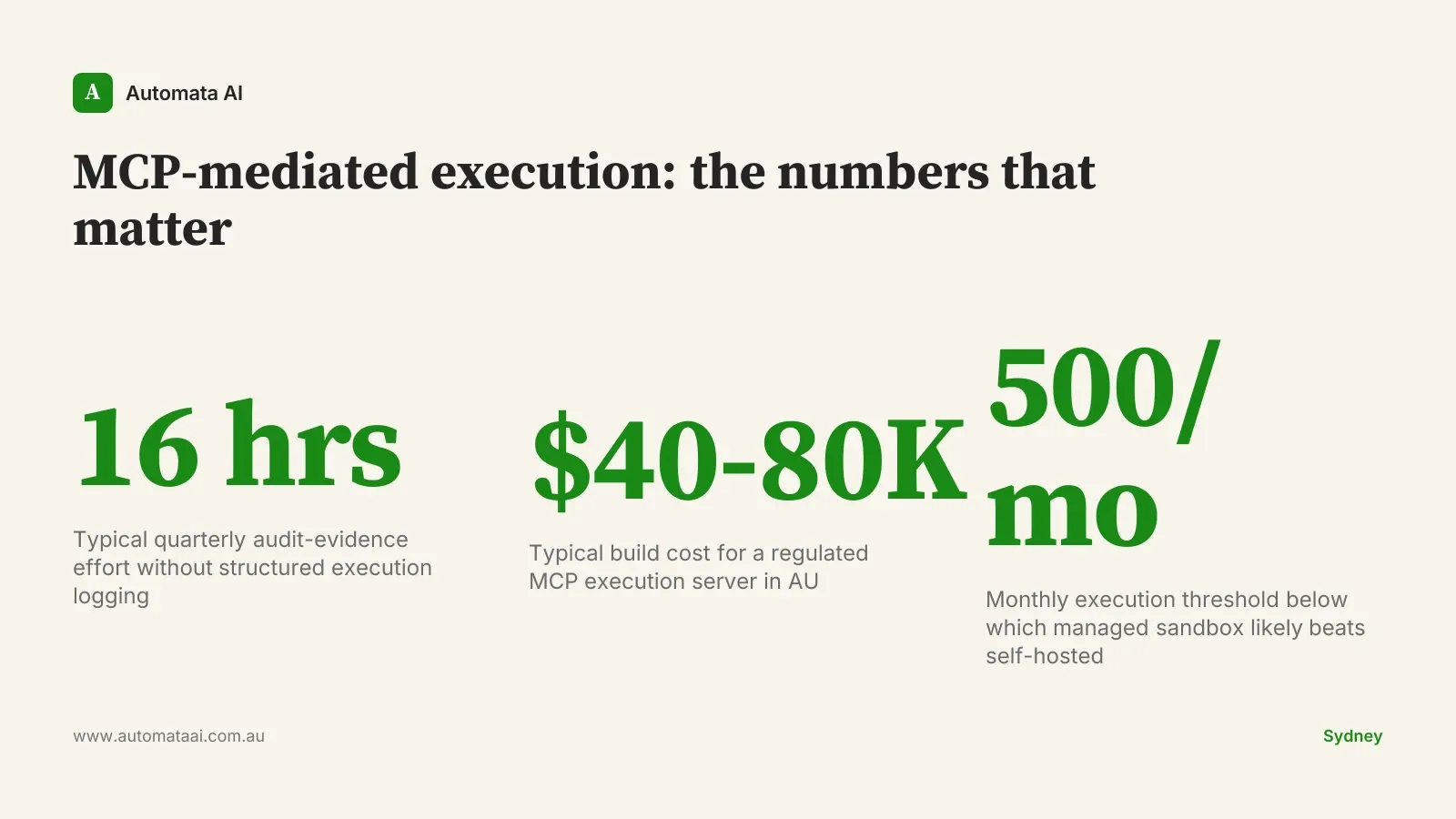
The compliance analyst spending two days per quarter manually compiling evidence of what the AI did is two days of risk analysis not happening. An MCP-mediated execution server with structured logging compresses that evidence-gathering from 16 hours to an afternoon. That is not a small operational difference. And when APRA asks for a package covering a specific date range, a specific data set, and a specific model version, you produce it from your own systems in the format your risk team prefers.
When MCP-mediated is the wrong choice
Building and maintaining an MCP execution server is genuine engineering work. A production-ready implementation for a regulated AU enterprise, covering package allow-listing, network egress controls, structured audit logging, and secrets management, typically runs $40,000 to $80,000 in build costs plus ongoing operations. Do not build it if your workload does not justify it.
No regulated data in scope. Internal tooling where technical staff are the only users and no PII or regulated data is involved. Local shell or managed sandbox is sufficient.
Code execution is not actually happening. If Claude is classifying, summarising, or answering questions without running code, the execution-surface question is moot. These patterns apply only when code actually runs.
Low execution volume. Below roughly 500 code executions per month, managed sandbox pricing is likely less than the operational overhead of running your own server.
The three-surface audit
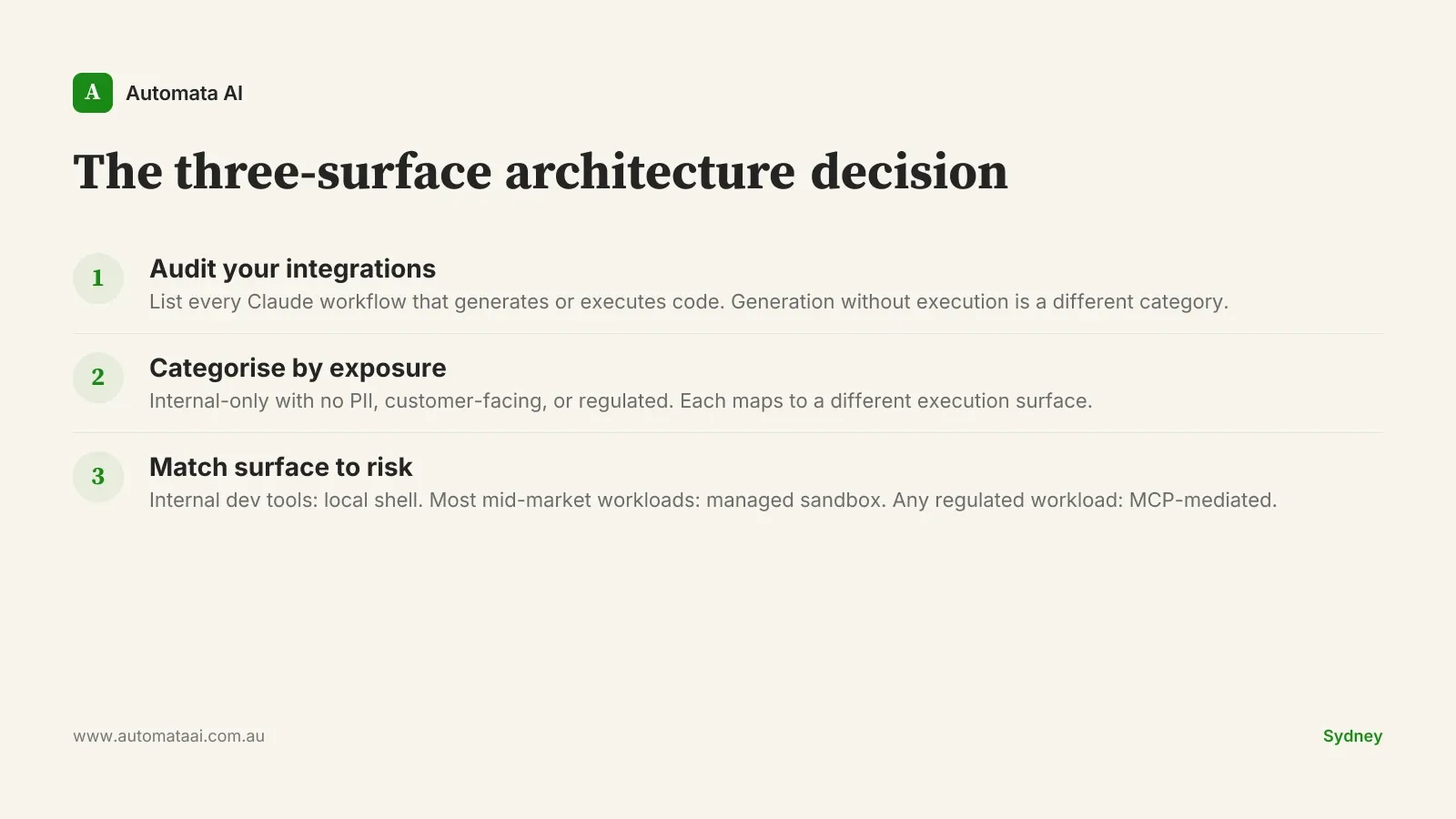
This is the named framework worth running once per quarter for any team with active Claude integrations: the three-surface audit. It takes under two hours. Teams that skip it tend to discover their architectural decisions retrospectively, usually during a risk review or when a developer asks why a Claude script ran against production data.
Inventory every Claude integration that generates or executes code.
For each, record: what data does it access, who uses it, is it customer-facing?
Categorise each as internal-only, customer-facing, or regulated.
Match each category to its surface: local shell, managed sandbox, or MCP-mediated.
Sequence the build: if any regulated workload exists, the MCP execution server goes first.
If your team is not sure which processes qualify as regulated workloads under CPS 230, the AI Readiness Assessment works through that categorisation with you, including a data-sensitivity mapping.
Automata AI builds MCP-mediated execution servers for Australian regulated enterprises, covering audit logging, package allow-listing, and network egress controls. The work scopes under our AI Automation Services depending on the integration complexity.
Pick one Claude workflow today. Ask where its code actually runs. If nobody has answered that question yet, that is the architectural decision to resolve before writing another prompt. Most teams do not lack ambition with Claude. They lack clarity on the execution surface. Get the surface right and the ambition can scale.