The ERP is from 2003. The vendor quoted $80,000 for an API integration. The internal IT team is buried in three other projects. So your accounts payable team keys invoices by hand, and nobody questions it because that's just how it works.
Claude Computer Use changes that calculation. Not by replacing the system, but by operating it the way a human would: navigating menus, filling fields, clicking through workflows, with every action logged and auditable. The key insight is that legacy systems are designed to be operated through a visual interface. Computer Use doesn't bypass that interface. It uses it. The agent sees the same screen a human does, takes the same actions, and leaves a machine-readable log of every step. You don't need an API. You need a browser and a structured input.
Here are three back-office workflows where Australian operators are putting it to work.
Workflow 1: Journal entry posting
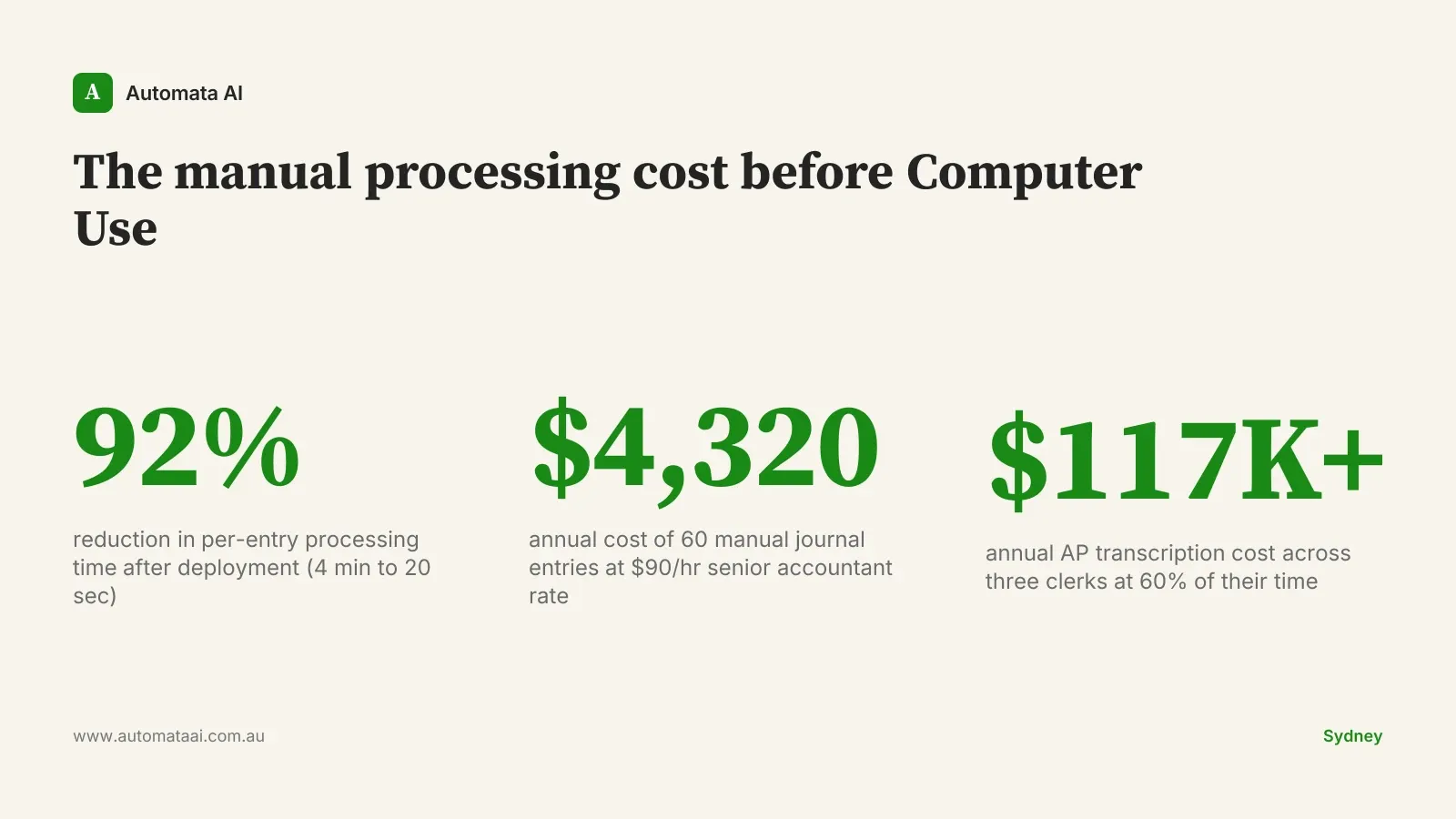
A bookkeeper at an Australian importer posts 60 manual journal entries per month into a legacy accounting system. Each entry takes four minutes. That's $360 per month in senior accountant time at $90 per hour, or $4,320 per year. On a single workflow. At a single client.
Computer Use posts the journal from a structured input file. The bookkeeper reviews the source CSV. The agent posts each line, navigating through the interface the same way a human would. An audit log captures every action with a session ID tied back to the input row.
Time per entry drops from four minutes to roughly 20 seconds of monitoring.
Source file format. A CSV or Excel template the agent reads before every run.
Threshold confirmation. A human-in-the-loop step before posting any entry over a configurable AUD amount.
Nightly summary. An automated email to the controller listing every entry posted and any exceptions.
Rollback procedure. The agent should never post if the input row fails format validation.
Workflow 2: Invoice routing through legacy AP
A 200-person Australian distributor runs accounts payable through a system that doesn't support email ingestion or OCR. Invoices arrive by email, get saved manually, and get keyed into the AP module by hand. Three clerks at $65,000 each spend 60 per cent of their time on data entry. That's over $117,000 per year of pure transcription cost. Those clerks are spending the majority of their workday on tasks that require no judgment. That's a problem regardless of whether you automate.
Computer Use, paired with a vision-capable model, reads the invoice image, classifies the GL code against supplier history, and keys the entry into the legacy AP module. Anything ambiguous routes to a human reviewer queue rather than posting automatically: a new supplier, a mismatched purchase order number, a duplicate invoice number.
The Australian Privacy Principles under the Privacy Act (1988) are relevant if invoices contain supplier ABNs or personal contact data. Log what you process, where it goes, and which agent session handled it. Most AP workflows will touch data that qualifies under APP 6 (use and disclosure) and APP 11 (security of personal information). The audit trail from Computer Use satisfies both without additional infrastructure.
Workflow 3: CRM-to-ERP record sync
CRM-to-ERP sync is a perennial back-office problem. New customer created in Salesforce, manual entry into the legacy ERP for invoicing, manual entry again into the service system for contract management. Two or three manual steps for every customer onboarding, each with its own error surface.
A Computer Use flow handles this end-to-end. The trigger is the new-customer event in Salesforce. The agent opens the ERP, creates the customer record, and mirrors the same fields into the service system. Every session gets a ticket ID. The operations manager sees a clean log of what was created, when, and from which source record.
This is the workflow category that our AI Automation Services team sees most often in Melbourne and Sydney mid-market engagements: a perfectly functional CRM on one side, a 15-year-old ERP on the other, and two or three admin staff manually bridging the gap.
The Computer Use deployment checklist
Define the trigger. The workflow must start from a structured, logged input: a file drop, a webhook, a CRM event. Ad-hoc triggers create invisible error surfaces.
Run 30 days in parallel. Human and agent complete the same workflow simultaneously. Compare output line by line before you cut over.
Log with a session ID. Every agent action must tie back to an identifiable source record or ticket. No session ID means no audit trail.
Build the exception path first. Document what happens when the input doesn't match expected format before building the happy path. Exceptions that fall silently are worse than errors that fail loudly.
One workflow per agent. A scoped agent that does one thing reliably is worth more than a generalist agent that mostly works.
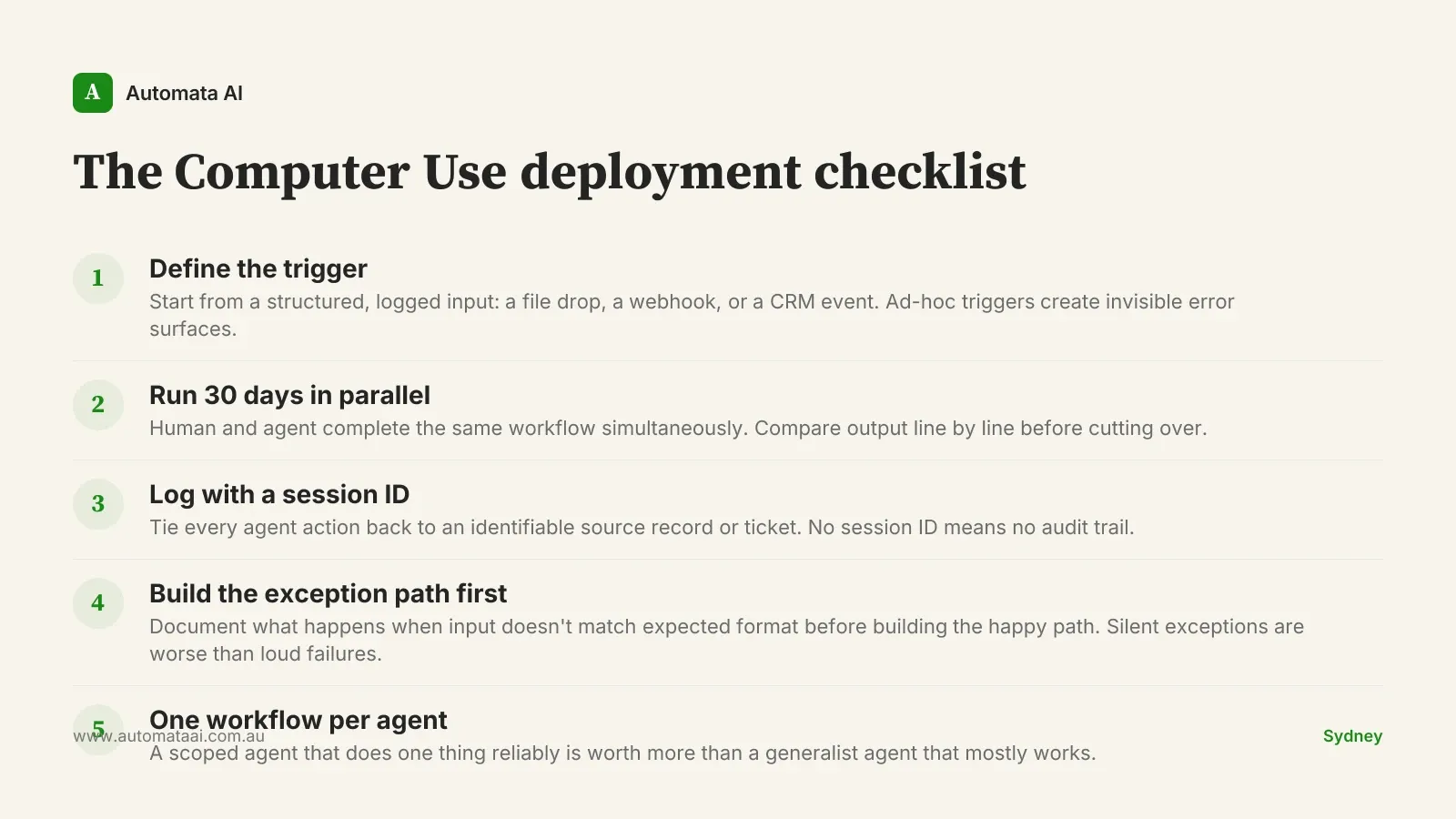
This checklist is also how we structure the scoping phase of an AI Readiness Assessment. The operators who skip the parallel-run step almost always come back with a data integrity issue in month two.
When Computer Use is the wrong choice
Computer Use is the right call when the underlying system is closed, the vendor quote for an API integration starts at $80,000, and the process runs daily or weekly at enough volume to justify the build. It's the wrong call in two situations.
The first is when the system has a functional API that nobody has gotten around to wiring in. That's an integration project, not a Computer Use project. The economics of a clean API-first build almost always beat screen-based automation when the API exists.
The second is when the workflow changes frequently. Computer Use agents are sensitive to UI changes. A vendor update that renames a field or moves a button will break the flow. If your legacy vendor pushes interface updates quarterly, plan for maintenance overhead or reconsider the approach.
Run the payback numbers before you commit. The ROI Calculator gives you AUD figures broken out by process type in about five minutes. If the annual saving is under $50,000, the maintenance overhead of a screen-based agent may not justify the investment. At that volume, a well-trained offshore resource is often cheaper. If it's over $100,000 per year, the business case is straightforward.