
Your team is using Claude every day. Seventeen people in the Sydney office, more remote across Melbourne and Brisbane. Half of them have a pinned prompt that reads: you work for [Company], our regulator is APRA, our primary CRM is Salesforce. The other half type that context from scratch each time. Neither approach is wrong, exactly. But neither one is architecture. The next step is desktop extensions.
What a desktop extension is
A Claude desktop extension packages a custom MCP (Model Context Protocol) server and its configuration into a single installable unit. One command adds it to Claude Desktop. After that, every Claude conversation on that machine has access to the extension's tools and context automatically. No pasting. No per-user setup. No relying on individual staff to remember what context Claude needs.
The architecture mirrors VS Code extensions, applied to Claude. The extension can expose callable tools: real functions Claude invokes during a conversation, from querying the CRM for latest client revenue to checking the ASIC compliance schedule. That's the distinction that matters. Instructions tell Claude what to do. Tools give Claude something to actually do it with. The difference becomes obvious the moment a workflow depends on data that exists outside the conversation.
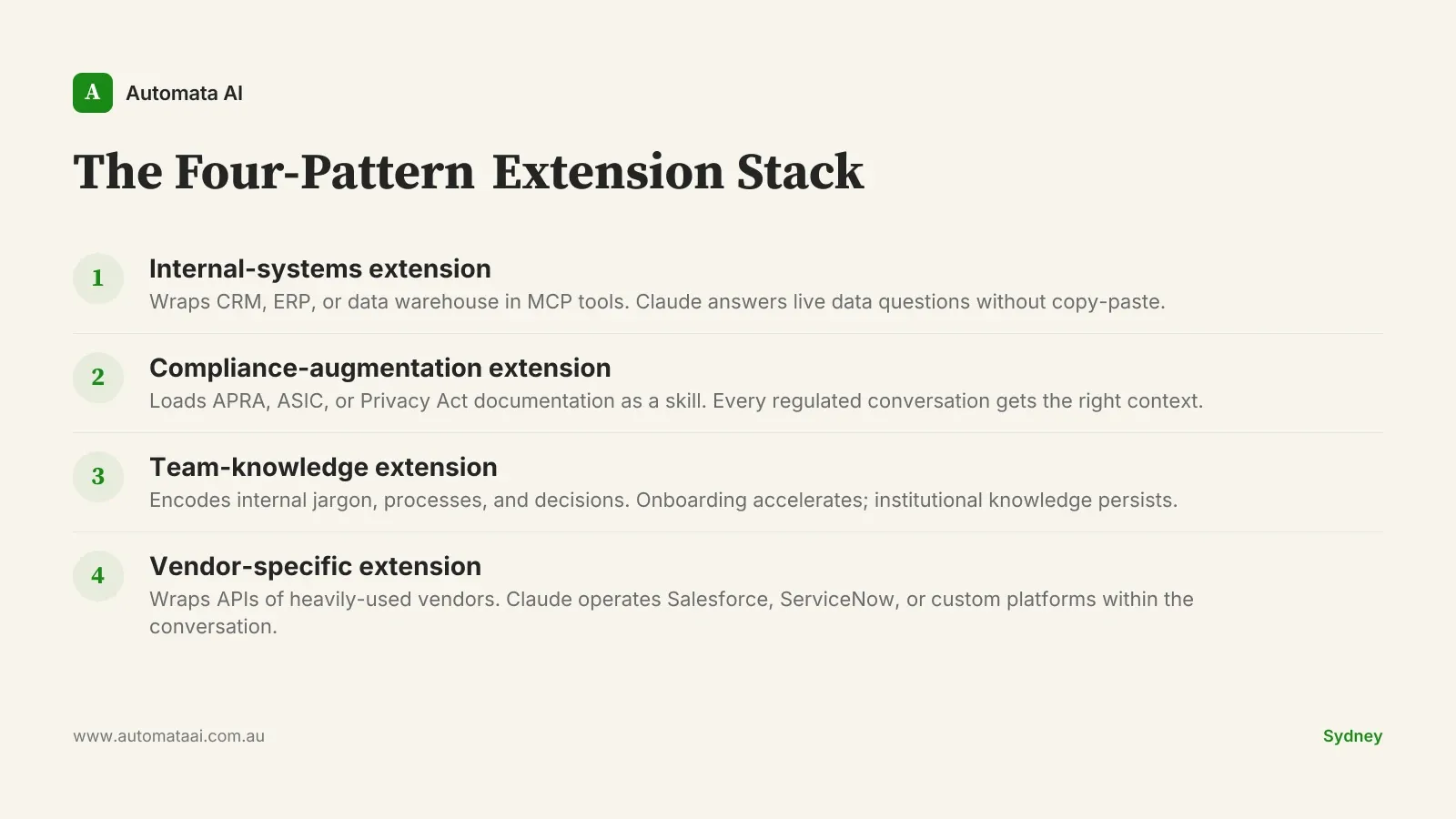
Four extension patterns for Australian teams
These four patterns cover the majority of deployments we see working in Australian mid-market production today. They are drawn from work with Sydney-based enterprise teams and distributed AU offices. Not mutually exclusive, but start with one. The extension that solves your single highest-friction workflow is worth more than four half-built ones.
1. Internal-systems extension
Wraps your CRM, ERP, or data warehouse in MCP tools. Once installed, Claude can answer questions like 'who are our top five clients by revenue this quarter' without an analyst first pulling the report and copying it across. A senior analyst at $120–$180/hr fully loaded spending 15 minutes per query, across 20 queries a week, runs at roughly $40,000 per year on one retrieval pattern. With three analysts on the same workflow, that approaches $120,000 per year on a single process. The extension collapses each query to seconds.
2. Compliance-augmentation extension
Loads your relevant regulatory documentation as a contextual skill. APRA CPS 230 obligations, Privacy Act (1988) requirements, ASIC guidance notes. Every Claude conversation touching regulated work gets the right context automatically. Compliance teams we work with typically recover $40,000–$90,000 per year in lookup and context-switching time. The ROI Calculator shows what those figures look like at your headcount.
3. Team-knowledge extension
Encodes your company's internal jargon, process decisions, and institutional context. The senior consultant who spent six years briefing every new starter on the client management model no longer needs to. The extension carries that knowledge into every conversation. In professional services firms we have worked with, graduate analysts reach productive Claude usage 40–60% faster with a team-knowledge extension than without one. Onboarding cost per head drops. The knowledge stays when people leave, which matters more than most teams expect until someone senior actually does.
4. Vendor-specific extension
Wraps the API of a vendor your team uses heavily. Salesforce, ServiceNow, Xero, or a custom internal platform. Once wrapped, Claude can operate that vendor surface within the conversation: look up client records, create service tickets, pull quarterly reports. The hours your team currently spends acting as human middleware between Claude and your vendor tooling go away. That is not a small number in organisations where five or more staff do this daily.
Why this beats pasted system prompts
Generic prompts solve the immediate problem. Extensions solve it at scale. Three reasons the difference matters in AU production environments:
Version control. Extensions are shipped like code. When compliance documentation changes, you update the extension once and the whole team gets the new version. Pasted prompts drift. The Sydney analyst has version 3; the Melbourne one has what someone emailed in March.
Executable tools, not just instructions. An extension exposes callable functions that Claude invokes at runtime against live systems. Instructions tell Claude what to do. Tools give Claude the ability to act against live data. In workflows that need current information (account balances, open tickets, this week's compliance status), the gap between an instruction-only setup and an extension-backed one is not a minor improvement. It's a different capability entirely.
Auditability. Organisations in financial services, healthcare, or legal need a record of what tools Claude had access to, and when. An extension registry provides that. A shared Notion document with pasted prompts does not.
When desktop extensions are the wrong move
Not every team should build one. Three situations where the investment does not pay:
Fewer than eight regular Claude users. The fixed cost of building and maintaining an extension, typically $15,000–$40,000 for an initial build, does not amortise across a small cohort. Below that threshold, a well-structured shared prompt is sufficient.
Processes that change monthly. Extensions work best for stable, high-frequency workflows. If the rules your extension encodes are rewritten every month, the maintenance overhead cancels the time savings.
One-off investigative work. Research tasks where Claude needs different context each session are better served by per-session prompting. Not every conversation needs to be permanently wired.
The $40,000 build cost stops some teams. That is understandable. But a compliance analyst spending 25 hours per month retrieving context at $150/hr fully loaded is $45,000 per year on a single workflow. The extension pays back in under twelve months if you have picked the right process. The maths is not complicated. What is harder is identifying which workflow to start with.

A practical starting point
If your Claude footprint is ten or more regular users, this is the order of operations:
Identify the friction point. Which context do people paste or re-explain into Claude most often? That is the process to wrap first.
Quantify it. Hours per week, per person, multiplied by fully loaded hourly rate. If the annual total exceeds $50,000, an extension build pays back inside twelve months.
Build one focused extension. Not four patterns at once. One stable, high-frequency workflow, built well and shipped to the team.
Pilot with five users. Measure time saved per week before broader rollout. The number is more motivating than any business case document.
The prioritisation step is where most teams stall. Our AI Readiness Assessment covers this process in detail: which workflows qualify, how to quantify the payback, and what technical readiness looks like before you scope a build.
The Australian organisations getting the most from Claude are not the ones with the most licences. They are the ones whose Claude deployments actually understand the business — the processes, the systems, the jargon. An extension is how you build that. For teams that want to move without building the capability in-house, our AI automation services covers the full build, from scoping to rollout.