The operations leader knows exactly what the AI workflow should do. They have tested it, iterated it, watched it cut their monthly close from three days to four hours. The problem is it lives in their own Claude instance, invisible to the rest of the team. Building a full SaaS to package and distribute it is not an option. A Cowork plugin is.
That is the distribution problem. It used to require a full build to solve. Now it requires a plugin.
What a Cowork plugin actually is
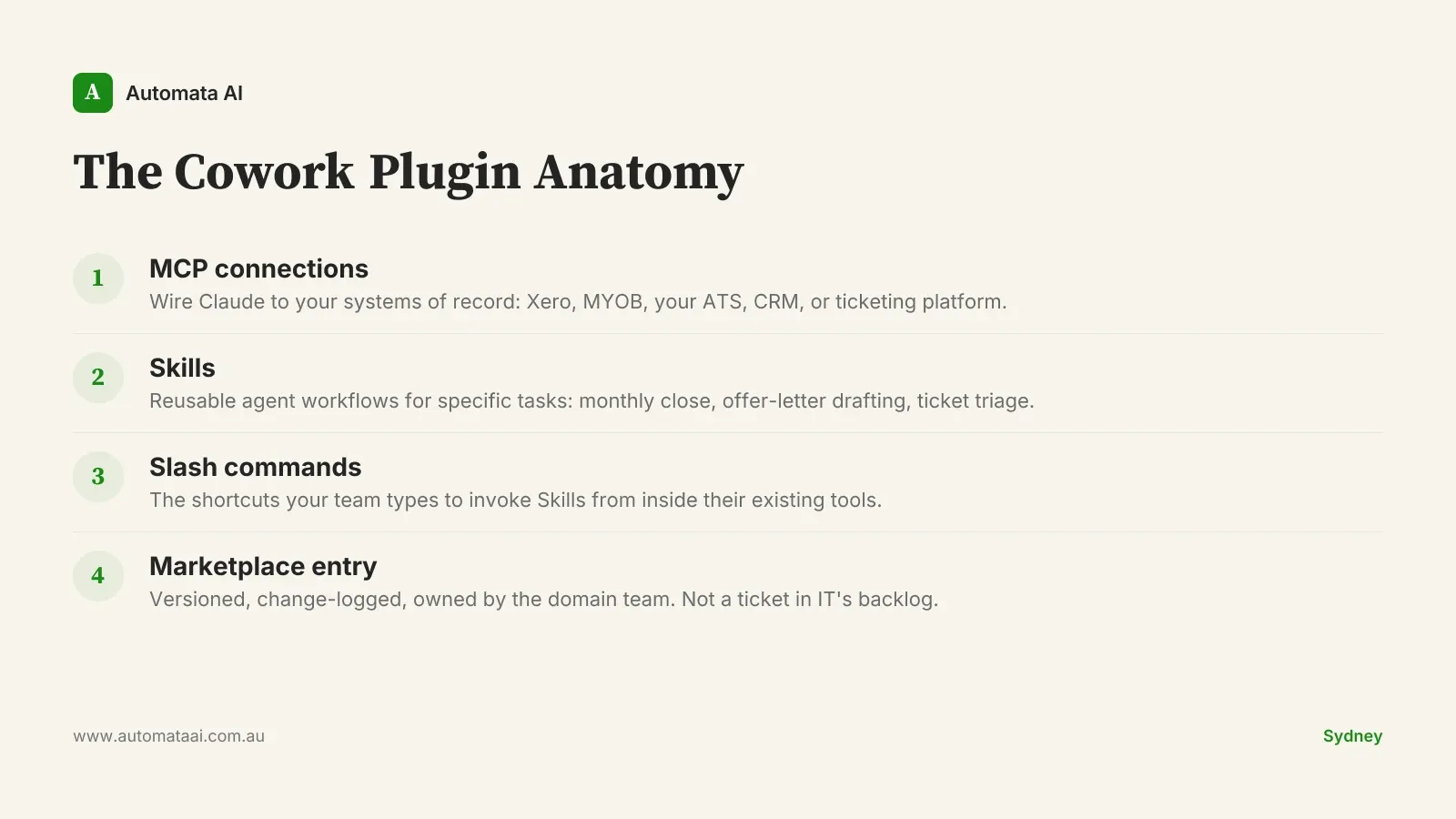
A Cowork plugin bundles three things: MCP connections (the integrations that wire Claude to your systems of record), Skills (the reusable agent workflows for specific tasks), and slash commands (the shortcuts your team types to invoke them). Packaged together as one installable artefact, a plugin turns a workflow that lives in one person's head into something the whole team can install, run, and rely on. The packaging is the product. A set of Skills living in a README gets used by one person. A versioned plugin distributed through a marketplace gets used by thirty.
Three examples from Australian mid-market operations teams show what this looks like in practice:
Finance ops. Connects Xero, MYOB, and the bank feed. Three Skills for monthly close, two for budget vs actuals, one for variance flagging. The analyst who spent 20 hours on month-end close now spends four.
HR ops. Wraps the ATS, payroll system, and contract template library. Skills for offer-letter drafting, onboarding-checklist generation, and contract review. Time-to-offer drops from five business days to one.
Customer ops. Connects the ticketing system, knowledge base, and CRM. Skills for triage, response drafting, and escalation. A team handling 200 tickets a week handles them with two fewer headcount.
The cost and ownership frame
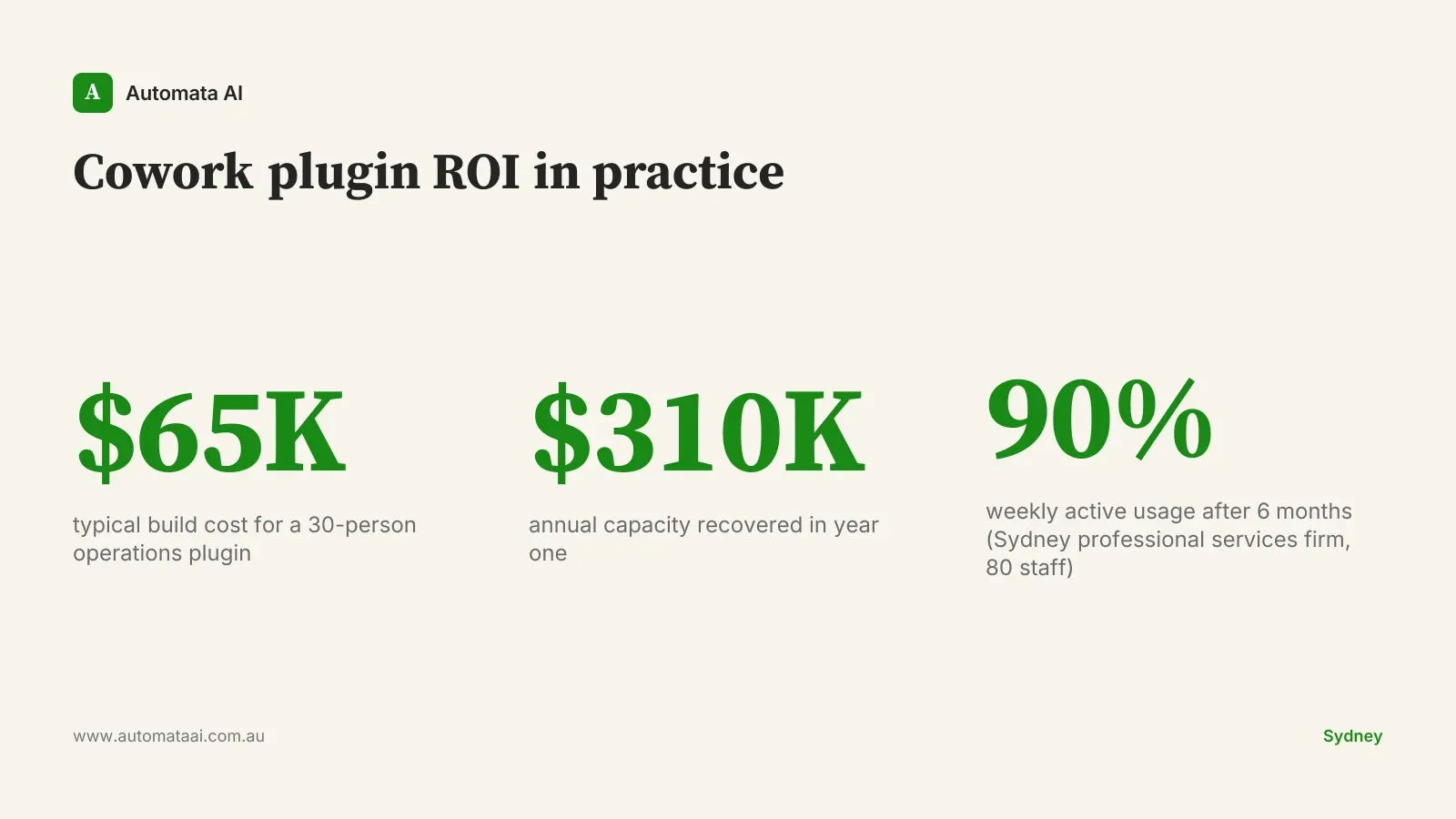
A typical Australian mid-market firm rolling out one plugin to a 30-person operations team spends around $65,000 on the build. Analyst hours run $85 to $120 fully loaded. Freed across 30 people running a process that previously cost 20 hours per person per month, the annual capacity recovered sits around $310,000. The payback math takes 90 seconds. Run the numbers for your specific process in our AI ROI Calculator.
The ownership frame matters as much as the economics. The plugin is owned by the operations leader, not IT. That means the operations leader controls the roadmap, the versioning, and the deprecation schedule. It is not a ticket in a backlog. Operations leaders at Australian mid-market firms often describe this as the first time they have felt like they actually own a piece of technology rather than waiting for IT to own it on their behalf.
The packaging discipline
Plugins should be narrow. A plugin that tries to do five jobs ends up doing none of them well. The right pattern is one plugin per business domain: finance ops owns the finance plugin, HR owns the HR plugin, customer ops owns the customer ops plugin. Each is distributed through the company's internal plugin marketplace, versioned, and owned by the team that uses it.
The one-domain rule also clarifies ownership. When finance ops and HR ops share a plugin, every change becomes a negotiation. When each domain has its own plugin, the operations leader who owns that domain can ship a new version without a committee meeting.
Versioning matters more than most operations leaders expect. A plugin in production should follow the same release discipline as any software: change log, version bump, migration notes, deprecation policy. Skipping this is how plugins that started at 90 percent adoption decay to 30 percent inside a year.
A Sydney professional services firm running four operations plugins across 80 staff has maintained 90 percent weekly active usage after six months. The pattern that kept adoption high: every update came with a two-sentence change log and a five-minute team briefing. Small disciplines compound. The plugins felt owned, not imposed.
When not to build a plugin
Not every operations workflow is plugin-ready. Three signals that a plugin is the wrong move right now:
The process is not stable yet. If the underlying rules change every quarter, the plugin will need constant rebuilding. Stabilise the process first, then automate it.
Usage volume is too low. A workflow that runs twice a month for three people will not generate the adoption needed to justify a $65,000 build. The break-even requires meaningful daily or weekly use across a team.
The team is under 8 to 10 regular users on that workflow. Small teams can run Skills directly without the packaging overhead. The plugin layer earns its keep at scale.
If you are unsure whether your workflow clears these thresholds, our AI Readiness Assessment walks through the criteria in about 30 minutes.
What measurement looks like in practice
The pattern only holds if you instrument it. Think of it as the three-instrument panel: time-to-first-result tells you whether the flow is fast enough to replace the manual process, cost-per-task in tokens tells you whether it is economical at scale, and acceptance rate tells you whether the output is good enough to use without major edits. Without all three on a shared dashboard from week one, the conversation with finance is a faith argument.
With them, it is a performance review. A Melbourne mid-market operations team running this discipline found that the dashboard itself drove around $120,000 a year in additional savings, because outliers became visible for the first time. Two flows were burning 40 percent of the token budget while delivering 10 percent of the value. Cutting them was a one-day decision. Without the data, that conversation would have taken months.
The second discipline is a quarterly plugin review. Flows that earned their keep stay. Flows that did not get retired. The review should take two hours and produce a single output: what stays, what gets retired, what is queued for the next build cycle. Operations leaders who skip this review tend to find, at the 18-month mark, that three of their five plugins are running and nobody is using them. The plugins did not fail. The review process failed.
The operations leaders who build the best plugins are not the ones with the biggest budgets. They are the ones who can name exactly what a single workflow costs today, exactly what it should cost after automation, and exactly who is accountable for the gap. If you cannot answer those three questions about a specific process, no plugin will fix that.
Pick one workflow. Map it: current cost, target acceptance rate, accountability after launch. If that exercise takes more than two hours, the process is not ready. If it takes 30 minutes, the conversation with our AI Automation Services team is the natural next step. That is where the build starts.
Keep going
For the full setup path, see the Claude Cowork setup guide. Related on this topic: