Claude Code gives an Australian engineering team real capability the day it is installed. What most teams are missing is not the tool. It is the library: a set of repeatable, tested patterns for the automation jobs that come up every week. An agent loop is one of those patterns. It tells Claude Code to take an action, check the result, and keep going until a clear finish condition is met, with nobody babysitting the terminal.
A public resource at loops.elorm.xyz collects a set of these agent loop templates, grouped by category and written to drop into Claude Code, Cursor, Codex, or Gemini CLI. We checked it the week this post went out and the Claude Code loops are live and ready to copy. It is the kind of resource that saves a team the weeks of trial and error it takes to work these patterns out from scratch. Below are the four worth installing first, plus how to adapt any loop to your own setup.
What an agent loop actually is
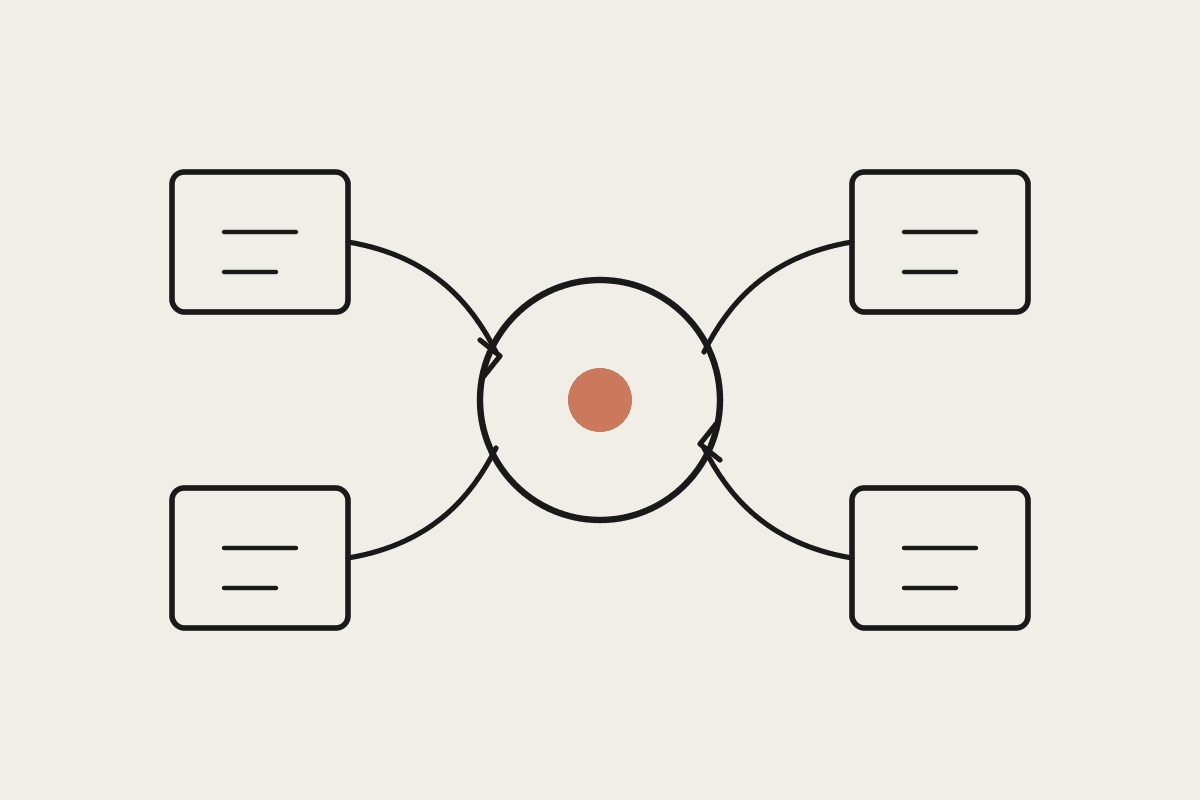
A normal Claude Code request is one-shot. You ask, it responds, you review. A loop adds a condition and a repeat. Claude Code runs a step, reads the output, decides whether the goal is met, and either stops or tries again. The pattern matters because the expensive part of most developer work is not the first attempt. It is the four or five rounds of check, fix, and re-run that follow. A loop hands those rounds to Claude instead of your engineers. Done well, it is the difference between an engineer who supervises one task at a time and one who sets three loops running and reviews the results at the end of the day.
For a Sydney team paying senior engineers to watch pipelines and nurse pull requests to green, that idle supervision adds up fast. Reclaim two hours per engineer per week across a team of ten and you have recovered roughly $120K a year of senior time. Agent loops are how you claw that back without hiring.
Four loops worth installing today
Ship PR until green
Claude Code commits a change, watches the build, and keeps iterating until every test passes. This takes the human out of standard pull-request iteration. You define the finish condition, all checks green, and the loop owns the cycle until it gets there. It suits repos that already have a fast, reliable test suite.
CI failure watcher
This loop reads continuous integration output and patches well-understood failure categories on its own: type errors, missing imports, lint violations. It does not try to be clever about logic bugs. It clears the routine noise so your engineers only open the failures that need a human eye.
Guardrails learning loop
This one records which actions caused downstream failures across runs and builds a growing avoidance list. Each run is safer than the one before, because the loop remembers what broke last time. For teams in regulated industries, that written record of what the agent learned not to do has real audit value when a reviewer asks why a change was made.
Pre-commit guard
Before every commit, this loop runs your full test, lint, and typecheck suite. If anything fails, Claude Code fixes it before the commit lands. It is the lowest-risk loop on the list, and the one we tell Australian teams to start with on day one.
How to adapt a loop to your stack
Most loops are ready for production in under an hour of setup. The process is the same whichever one you pick:
Choose the loop that matches the job you keep doing by hand.
Replace the placeholders, such as repo path, test command, and CI provider, with your own specifics.
Add it to your CLAUDE.md file or save it as a dedicated skill so the whole team inherits it.
Run it against a throwaway branch first and confirm the finish condition behaves before you point it at main.
That last step is the one teams skip and later regret. A loop with a vague stop condition can churn and burn tokens. Verify the exit on a safe branch and you remove that risk for good.
Matching loops to Australian team contexts
Different teams get value from different loops. A rough guide for where to start:
Agencies and consultancies: documentation and code-review loops hold output quality steady across client projects without a senior developer reviewing every pull request.
Internal tools teams: deployment and monitoring loops cut the manual release work that eats a Melbourne ops roster's afternoons.
Teams new to Claude Code: start with the pre-commit guard. Lowest risk, with value you can see on the first commit.
Where the real saving sits
The loops themselves cost nothing to copy. The value is in choosing the right three for your team and wiring the finish conditions so they behave under your build system, your repo layout, and your compliance rules. A team that gets this right usually removes a recurring manual cost in the range of $45,000 a year, drawn straight from the review and pipeline-watching work the loops absorb.
There is a compliance angle too. Loops that run inside your own environment keep source code off third-party servers, which matters when you handle data covered by the Privacy Act or work under a client security policy. Claude Code can be configured so the loop never sends your repository anywhere it should not go.
If you want help picking and configuring the loops that fit your workflow, book a session with Automata AI and we will design them around your stack and your rules.
Source: loops.elorm.xyz, shared via the AI Builder Club, June 2026. Loop counts and templates change over time, so check the site for the current set before you depend on a specific loop.