Most Australian teams already have email automation. It is the autoresponder that fires when a form is submitted, the receipt that lands after a purchase, the reminder that goes out three days before an appointment. These are useful, but they are static. They send the same words to everyone, react to a single trigger, and cannot read what a customer actually wrote. When the volume of inbound email grows, the autoresponder does nothing to help a small team keep up.
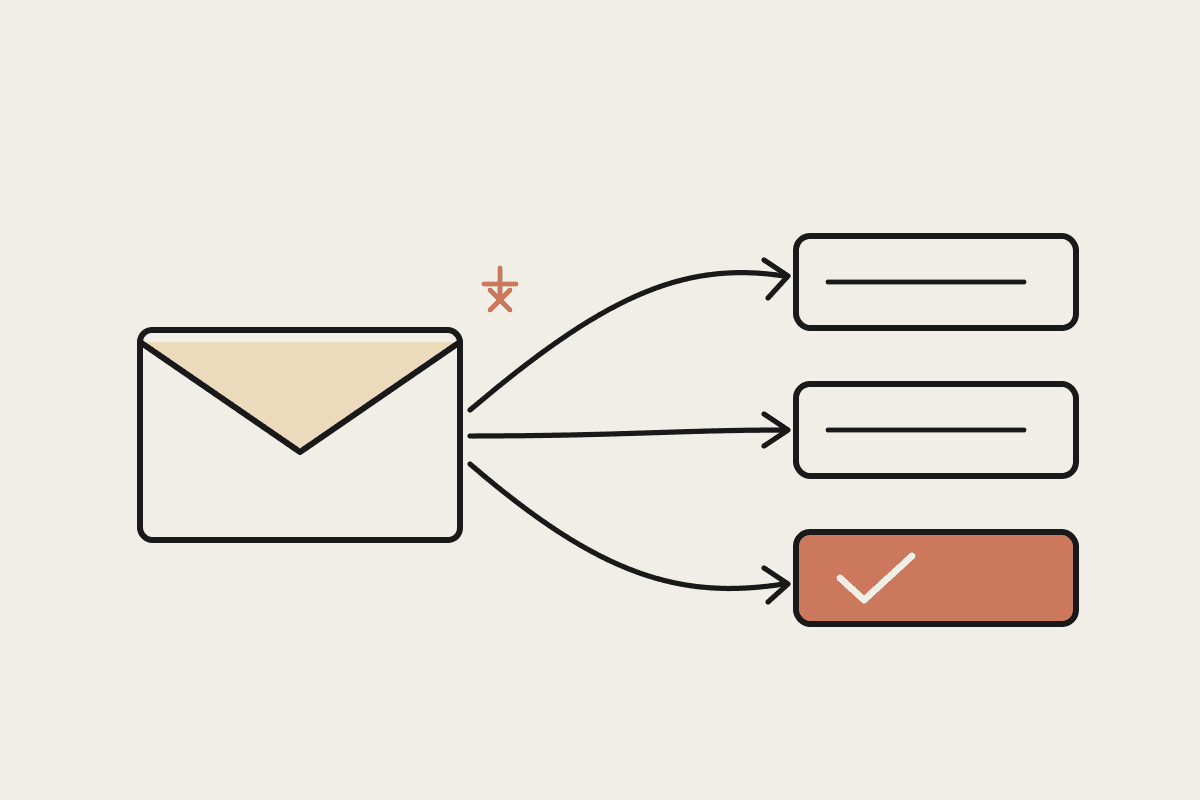
AI email automation is a different category. Instead of matching a trigger to a fixed template, a model like Claude reads the content of each message, works out what the sender needs, drafts a reply that fits, and routes anything it should not answer to a human. For a business handling a few hundred emails a day, the difference is the gap between a mailbox that overflows and one that stays under control.
Why autoresponders stopped being enough
A rule-based autoresponder can only do what its rules describe. Every new scenario needs a new rule, and the rules do not read intent. A customer who writes "I still haven't received my order and I'm getting frustrated" gets the same generic acknowledgement as one asking a simple opening-hours question. The tone is wrong, the timing feels robotic, and the customer notices.
The hidden cost sits in the manual triage that fills the gap. Someone on the team reads each message, decides who should handle it, and either replies or forwards it on. For a Sydney services business we looked at, two staff were spending roughly three hours a day between them on inbox sorting and first replies. At loaded salary rates that is close to $45,000 a year of time spent moving email around rather than doing the work customers pay for.
The common failure points of the old model are worth naming:
Static templates that ignore what the sender actually asked.
A single trigger per rule, so anything unusual falls through to a human.
No sense of urgency, so an upset customer and a routine query are treated identically.
Manual routing that depends on one or two people knowing where each message should go.
What AI email automation actually does
A well-built AI email workflow reads each incoming message and produces a short structured judgement before anything is sent. Claude can classify the message by topic, gauge whether the sender sounds calm or upset, pull the relevant order or account details from your systems, and draft a reply in your business's voice. The draft can then be sent automatically for low-risk categories, or held for a person to approve when the stakes are higher.
Reading intent, not just keywords
Keyword rules break on the way people really write. "Where's my stuff" and "Order number 4821 hasn't arrived" are the same request in different words, and a model handles both without a new rule for each phrasing. That is the practical reason AI email automation scales where template systems stall: you are describing the outcome you want, not listing every sentence a customer might type.
Keeping a human in the loop
The point is not to remove people from the inbox. It is to let them spend their attention where it matters. Routine confirmations, status questions, and simple bookings can be handled from start to finish. Complaints, refund disputes, and anything touching a contract stay with a person, with a drafted reply already waiting so the response goes out in minutes rather than hours.
A practical rollout for Australian teams
You do not need to automate the whole mailbox on day one. The teams that succeed start narrow, prove the quality, then widen the scope. A sensible sequence looks like this:
Start with classification only. Have Claude read and tag messages by topic and urgency, but let people write every reply. This builds trust in the routing before any automated sending.
Add drafting for one safe category. Pick a low-risk type, such as opening-hours or delivery-status questions, and let the model draft replies for a person to approve.
Move approved categories to auto-send. Once the drafts in a category are consistently good, allow them to go out without review, with random spot checks.
Escalate everything else cleanly. Route sensitive messages to the right person with context attached, so nothing important is ever answered by a machine when it should not be.
Measured this way, most teams see the first real time saving within a fortnight, because classification and routing alone remove the biggest daily chore. A Melbourne wholesaler running this sequence cut first-response time from around four hours to under fifteen minutes on the categories it automated, without adding a single staff member.
Getting the guardrails right
Email carries personal information, so the Privacy Act applies to how you handle it. Any AI email workflow should be clear about what customer data the model sees, where that data is processed, and how long anything is retained. Reply drafts that touch on payments, health, or identity details deserve a human check as a matter of policy, not just quality. Set explicit categories that can never be auto-sent, and log every automated reply so you can audit what went out and why.
The technology is ready for this, but the value comes from the design: clear categories, honest escalation, and a human owner for anything that could go wrong. Done well, AI email automation gives a small Australian team the responsiveness of a much larger one, without asking anyone to live inside their inbox.
If you want help scoping where this fits in your business, book a short brainstorm and we will map your inbox categories and the safe first step to automate.