If you manage engineers, you have probably heard MCP mentioned in the same breath as Claude and nodded along without a clear picture of what it is. That is fine. MCP is one of those ideas that sounds abstract until you see what it removes from your team's day. This is a manager-level explainer: what the Model Context Protocol is, what changes when your AI tools have real connections, and what it costs to build a server, without asking you to read a line of code.
MCP in plain terms
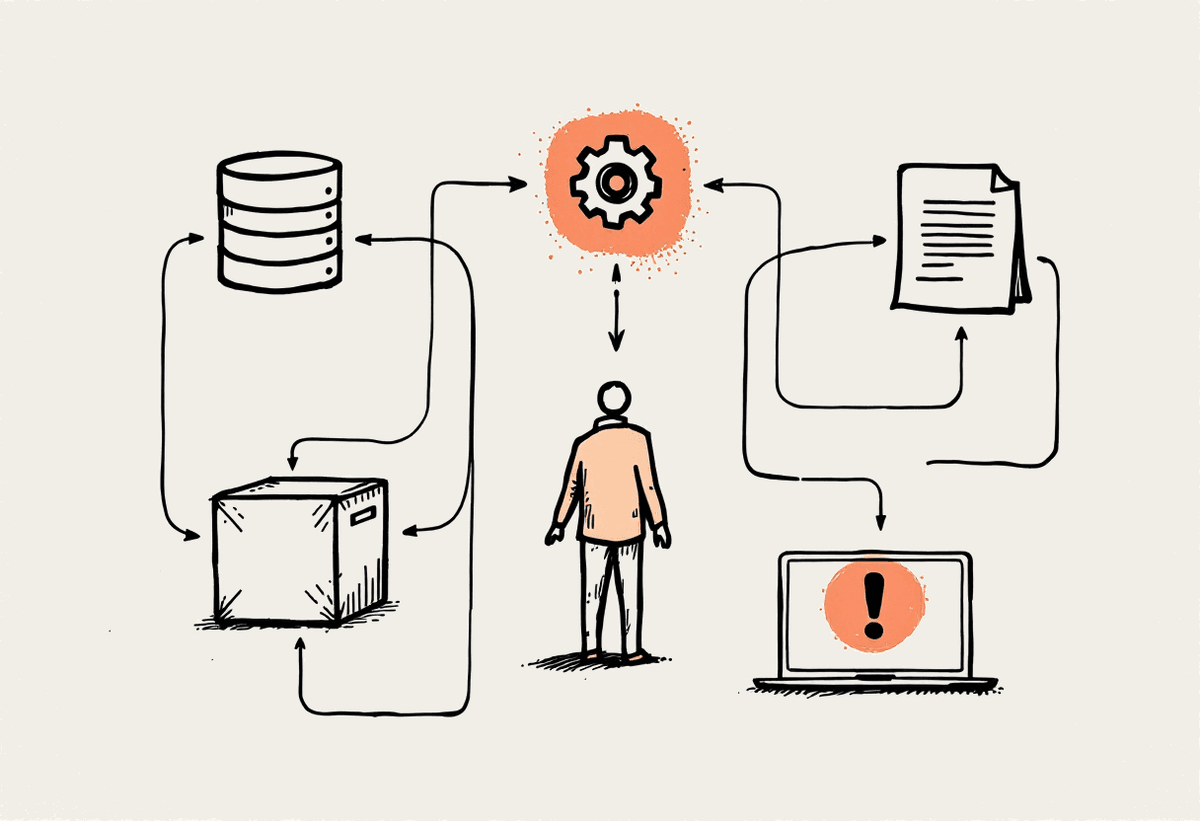
The Model Context Protocol is an open standard that lets Claude and other AI tools connect to real systems: databases, internal APIs, ticketing, document stores. Instead of an engineer copying context into a chat window and hoping it is current, the AI reads and acts against the live system directly, with scoped permissions that you control.
The mental model that helps most: MCP is to AI tools roughly what a power socket is to appliances. The standard is boring on purpose. Once a system speaks the protocol, any compliant tool can plug into it without a bespoke integration each time. That boring standardisation is exactly why it matters.
What changes when AI has real connections
The difference between an AI tool with connections and one without is the difference between a colleague who can look things up and one who can only work from memory. A few concrete examples your team will recognise:
Claude Code can query the actual database schema instead of guessing from a stale dump someone pasted last month.
Support tooling can read real ticket history and account state before drafting a reply, rather than asking the customer to repeat themselves.
Internal knowledge stops being a copy-paste ritual and becomes a connection that can be queried on demand.
In each case the win is the same: less manual shuttling of context between systems and the AI, fewer errors from stale information, and faster work because nobody is acting as a human clipboard.
The reassurance for a cautious manager is the scoping. A server does not hand Claude the keys to everything. You decide which tools exist, which credentials they run under, and what is read-only versus able to make changes. A well-built server can read ticket history while being completely unable to delete a record, because that tool was never exposed. Permissions are a design choice you make up front, not something you bolt on afterwards.
What building an MCP server involves
At its simplest, an MCP server is a thin service that exposes a handful of tools, which are just functions, over a standard protocol. The protocol part is genuinely small. Where the real work lands is everything around it.
A thin service that exposes the tools your team needs, mapped to the underlying system's operations.
Authentication and scoping decisions: who can call what, with which credentials, and what is deliberately off limits.
Days to small weeks of work for a first internal server, not months, once the auth picture is clear.
Lessons from production integrations
The protocol is the easy part. The time goes into the authentication around legacy enterprise systems. We have learned this the hard way integrating systems like Microsoft Dynamics 365 Business Central: the difference between delegated tokens and application tokens, the consent quirks that only appear in the live flow, and the reality that testing against the real protocol tells you far more than the documentation does. If a vendor quotes you a flat number without asking about your target system's auth model, be sceptical.
Costs and where to start
A first custom MCP server for an internal system typically lands between $5,000 and $20,000 AUD, depending almost entirely on how awkward the target system's authentication is. A modern API with clean OAuth sits at the low end; a legacy enterprise system with consent quirks sits at the high end. The smart place to start is not the most impressive system but the one your team pastes context out of most often. That is where the manual effort hides, and where a connection pays back fastest.
A good first project tends to look the same across businesses: pick one internal system, expose three or four read-only tools, and let the team feel the difference for a fortnight before expanding. Starting small keeps the auth surface manageable and gives you a real sense of the payback before committing to anything larger. Most teams are surprised how much friction a handful of read-only tools removes.
MCP integrations are part of how we run Claude Code rollouts in our Claude Code consulting work, and we build custom servers for Australian businesses from our base in Sydney. If your team is spending its day moving context between systems by hand, book a call and we will help you pick the first server worth building.