Claude in Chrome moved to general availability on 26 August 2026. It runs as a browser extension, works across your open tabs, and carries the same conversation into Claude's desktop, mobile and web apps. Anthropic shipped it the same day as Claude Cowork's built-in browser, which tells you something about where the product is heading.
For most Australian businesses the interesting part is not the extension itself. It is which category of work suddenly becomes automatable, and which does not.
What general availability actually changes
Claude in Chrome ran as a limited research preview for most of 2026. Preview status matters commercially, because you cannot responsibly build a client's month-end process on a feature that might be withdrawn. GA removes that objection. It also means support, documented behaviour and a stable permission model, which is what a Sydney finance manager will be asked about the first time someone in the team wants to point an AI at a supplier portal.
The second change is continuity across surfaces. A task started in a browser tab can be picked up in the desktop app. That sounds small until you consider how most business processes actually run: pull three numbers out of a web portal, reconcile them against a spreadsheet, write the summary email. Previously those were three tools and two copy-paste steps.
The work this reaches that an API never will
Every automation project we quote runs into the same wall. The client names five processes they want handled, and two of them sit behind software with a proper API. The other three live in a browser tab belonging to a supplier, a government portal, or a niche industry platform built in 2011 with no integration story at all.
Those three are where a browsing agent earns its keep. Typical examples from AU mid-market clients:
Pulling order status from a supplier's trade portal that has no API and no export button
Checking licence or registration status across state government sites before onboarding a subcontractor
Reading remittance detail out of a bank portal that only renders it on screen
Collecting quotes from three insurer portals into one comparison table
Re-keying data between a legacy job management system and Xero
None of those justify a custom integration build. A single connector to a portal like that costs $18,200 to build and then breaks whenever the vendor changes their markup. A browsing agent that reads the page the way a person does has a very different maintenance profile, which is why it now sits inside our Claude Cowork setup work rather than being quoted as a separate build.
Where it still needs a person
A browsing agent is not a substitute for controls. Under the Privacy Act, your obligations around personal information do not change because an AI is the one reading the screen. If the portal holds customer records, the same access logging and consent questions apply.
Practical limits we set with clients:
No agent-initiated payments, transfers or trades. The agent prepares, a person approves and executes.
No entering credentials. The human logs in, the agent works in the authenticated session.
Anything irreversible gets a confirmation step, including submitting forms and sending messages.
Read-heavy tasks first. Data collection and comparison return value fast and carry low blast radius.
What not to conclude from this
Two things get overstated whenever a browsing agent ships.
The first is that it replaces integrations. It does not. Where a real API exists, use it. API calls are faster, cheaper per run, and they do not break when a vendor moves a button. Browser automation is for the portals that gave you no other option.
The second is that reliability is now a solved problem. It is not. A browsing agent working across unfamiliar page layouts will get things wrong at a rate you need to measure before you trust it with anything that matters. The right first project is one where a wrong answer is visible and cheap, not one where it quietly flows into a ledger.
Claude in Chrome or Cowork's built-in browser?
Both shipped on 26 August and they are not the same thing, which is already causing confusion on client calls. Claude in Chrome is an extension that operates inside the browser you already use, with your existing logins, extensions and profile. Cowork's built-in browser is a separate browsing surface inside the Claude desktop app, with its own profile.
The practical split we use when advising a team: if the task depends on being signed in as a specific person in a specific corporate SSO session, that belongs in Chrome. If the task is research or form-filling that does not need your identity attached, the built-in browser keeps it away from your working tabs. Teams that try to run everything through one of them end up fighting the tool.
| Question | Claude in Chrome | Cowork built-in browser |
|---|---|---|
| Where it runs | Your existing Chrome profile | Inside the Claude desktop app |
| Uses your corporate SSO session | Yes | No, separate profile |
| Best for | Portals that need you signed in | Research and form-filling |
| Touches your working tabs | Yes | No |
| Install required | Chrome extension | None, ships with Cowork |
The permission model is the part to read carefully
Before anyone in your business installs the extension, someone needs to answer one question: which sites is it allowed to act on. That decision is not a technical detail. It is the entire risk boundary.
What we ask AU clients to settle in writing before rollout:
Which sites the agent may read, and which it may act on. These are different lists and the second should be much shorter.
Who owns approvals for anything that submits, sends or changes a record.
Whether any in-scope site holds personal information, which pulls the Privacy Act into the conversation.
How a run gets reviewed after the fact, and by whom.
Teams that skip this end up with an agent that technically works and that nobody will sign off on. That is a more expensive outcome than not starting, because you have paid for the setup and still cannot use it. We covered the underlying task selection in an earlier piece on what a browsing agent can actually do for your admin.
How we would scope this for an AU business
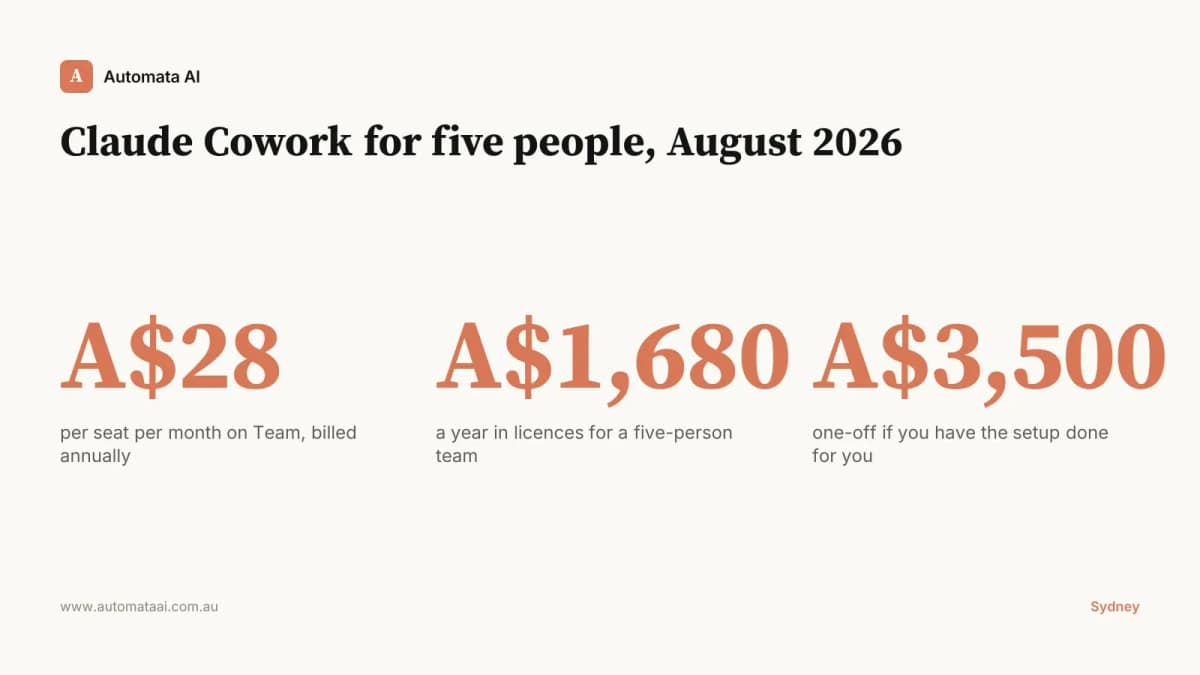
The Cowork setup work Automata AI does for Australian SMBs sits at A$3,500 fixed fee, and Claude in Chrome now folds into that scope rather than sitting beside it. The sequence we use has not changed:
List every process the team runs, and mark which ones have an API and which are browser-only.
Take the three highest-frequency browser-only tasks and time them honestly over one week.
Build and test on the single task with the clearest correct answer.
Measure the error rate over 20 runs before adding a second task.
The businesses getting value out of this are not the ones with the most ambitious plans. They are the ones who picked a boring, repetitive, browser-bound task and measured it properly.
If you want to work out which of your processes are browser-bound and which are worth automating first, we run that as a short scoping conversation. You can book a time with us and we will map it against what you already have running.