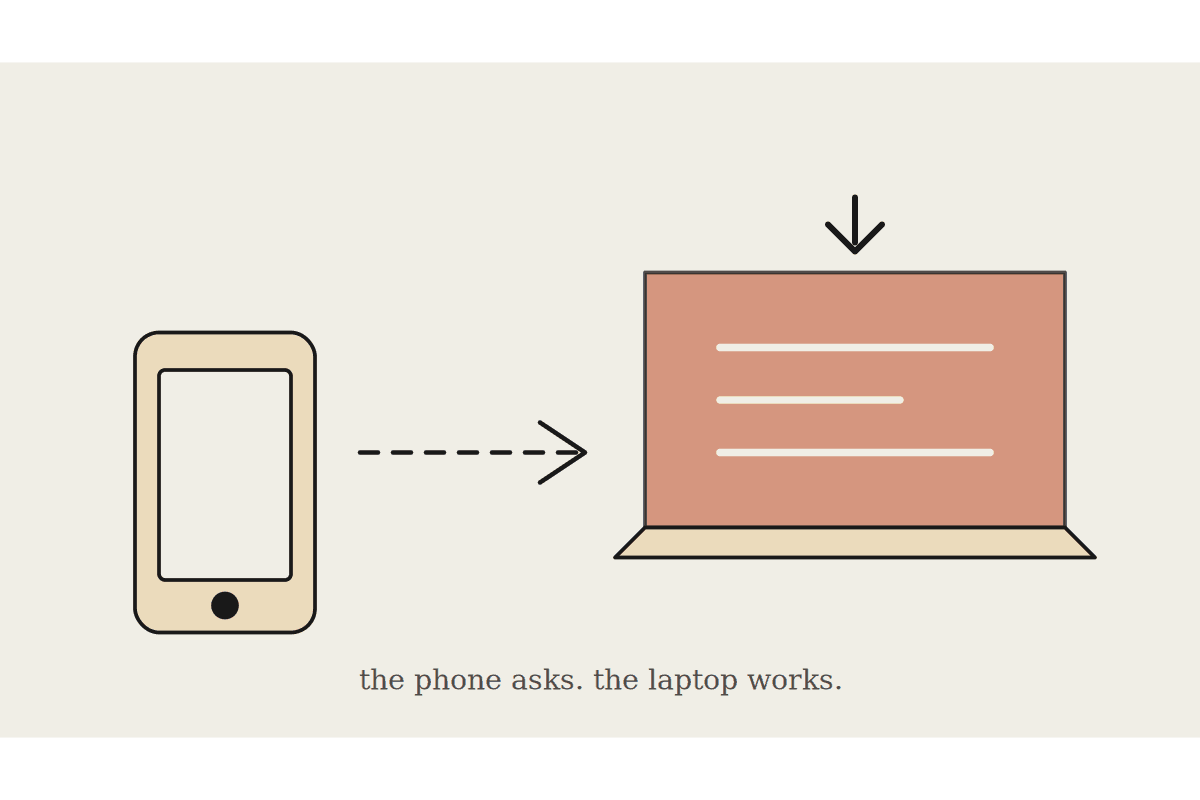
Dispatch is the Cowork feature that lets you message Claude from your phone and have the work happen on your desktop. It is genuinely useful for the drive home, the client waiting room and the twenty minutes between site visits. It also carries a dependency people miss until it bites. The work runs on your computer, not in the cloud. The machine has to be awake and the Claude desktop app has to be open.
If your laptop is shut in a bag at Wynyard station, nothing happens, and you will not find out until you check.
How it actually works
Dispatch keeps a single continuous thread with Claude that follows you across devices. You send from iOS or Android, the desktop app executes, and results sync back to whichever surface you pick up next.
Claude routes the job by type without being asked. Development work goes to Claude Code, knowledge work goes to Cowork, and the session appears in the matching sidebar without any setup from you. Push notifications land on your phone when a task finishes or needs an approval, and Claude hands back the outcome, a spreadsheet, a memo or a report, rather than a wall of intermediate steps.
Setup lives under Dispatch in the left sidebar. Click Get started, then set the file access and computer wake toggles.
The constraints worth knowing before you build a habit on it
Your desktop must be awake and the app open for the whole run, not just at the start.
One continuous thread only. You cannot open separate threads for separate jobs.
Computer use is not available on Linux.
A Pro or Max plan is required.
Both devices need an active internet connection.
The single thread limit is the one that changes how you use it. Dispatch is not a queue of parallel jobs. It is one conversation you keep adding to, so ask for one thing at a time and let it land before sending the next. Firing three requests from a car park produces a muddle rather than three answers.
Where it earns its place in an Australian workday
Between client sites, asking for the brief on the next meeting so it is waiting when you sit down.
After a call, sending three lines of notes and getting a written follow up drafted before you are back at the desk.
End of day, asking for tomorrow's numbers pulled together while you are on the train home.
Where it does not earn its place is anything time critical that you will not verify. A task that fires while you are driving and finishes wrong is worse than no task at all, because you will act on the output without reading it properly. Dispatch shortens the gap between thinking of something and having it done, which is only a benefit when the thing is worth doing unchecked.
The office setting that makes or breaks it
Most Australian businesses run laptops with aggressive sleep policies, often set by a managed services provider across the whole fleet. Dispatch needs the wake setting enabled and the machine on power. Before you promise anyone this works, test it once with the lid closed and once running on battery, and see what you actually get.
That single test saves the awkward conversation later. It is the same test we run on day one of a $3,500 Cowork setup, because a feature that fails silently in the field costs more trust than it ever saved in time. Staff who get burnt once by an automation that quietly did nothing do not come back to it.
A sensible way to introduce it
Give it to two people first, ideally people who are out of the office often and reasonably patient. Ask them to use it for a fortnight on jobs where a wrong answer is recoverable. Collect what worked.
If the machine sleeps despite the setting, that is a fleet policy question for whoever manages your devices, not a Claude question.
If tasks come back thin, the prompts are probably too short. Dispatch rewards a properly briefed request the same way a colleague does.
One more thing worth setting early: decide what Dispatch is not for. Anything that sends to a client, moves money or writes to a system of record should wait until you are at the desk with the output in front of you. The approval prompt on your phone is a genuine control, but a prompt read at a red light is not really a review, and treating it as one is how a convenience feature turns into an incident.
Done that way, Dispatch becomes the thing that removes the evening catch up session rather than another notification source. Done carelessly, it becomes a feature everyone tried once.
If you are rolling Cowork out across a team and want the device settings sorted before people build habits on it, that is worth an hour of someone's attention. We do exactly that at /contact.