Three pieces of the Claude Platform went from beta to generally available this week: computer use with a new browser use tool, the Skills API, and the Files API. Individually useful. Together they answer the question we get asked most often: our software doesn't have an API, can Claude still work in it?
What computer use actually does
Computer use lets Claude operate software the way a person does. It looks at a screenshot, clicks, types, and scrolls. The new browser use tool extends that to the web specifically, reading the actual structure of a page so Claude can target a field or button reliably instead of guessing at screen coordinates.
This matters because most Australian businesses run at least one piece of software with no API and no plans to ever get one. An old practice management system. A supplier's ordering portal. A government lodgement site. Computer use is what lets an agent work inside that system without anyone rebuilding it or waiting for a vendor roadmap that may never arrive.
The GA version can also take several actions in a single turn rather than one action per model call, so tasks that used to need dozens of round trips now take a handful. Anthropic has also confirmed computer use is now eligible for HIPAA-regulated workloads, which is relevant if you're in health, aged care, or allied health and were previously blocked on that.
Skills and Files: giving the agent your team's actual knowledge
The Skills API lets you upload your own instructions, scripts, and templates as a skill that Claude loads only when a task needs it. It's versioned and runs in Claude's own sandbox, so there's nothing for you to host or maintain.
The Files API is storage for the documents an agent reads and writes. Upload a PDF or spreadsheet once, then reference it by ID afterwards instead of re-sending it on every call, with 1TB of storage per organisation now included.
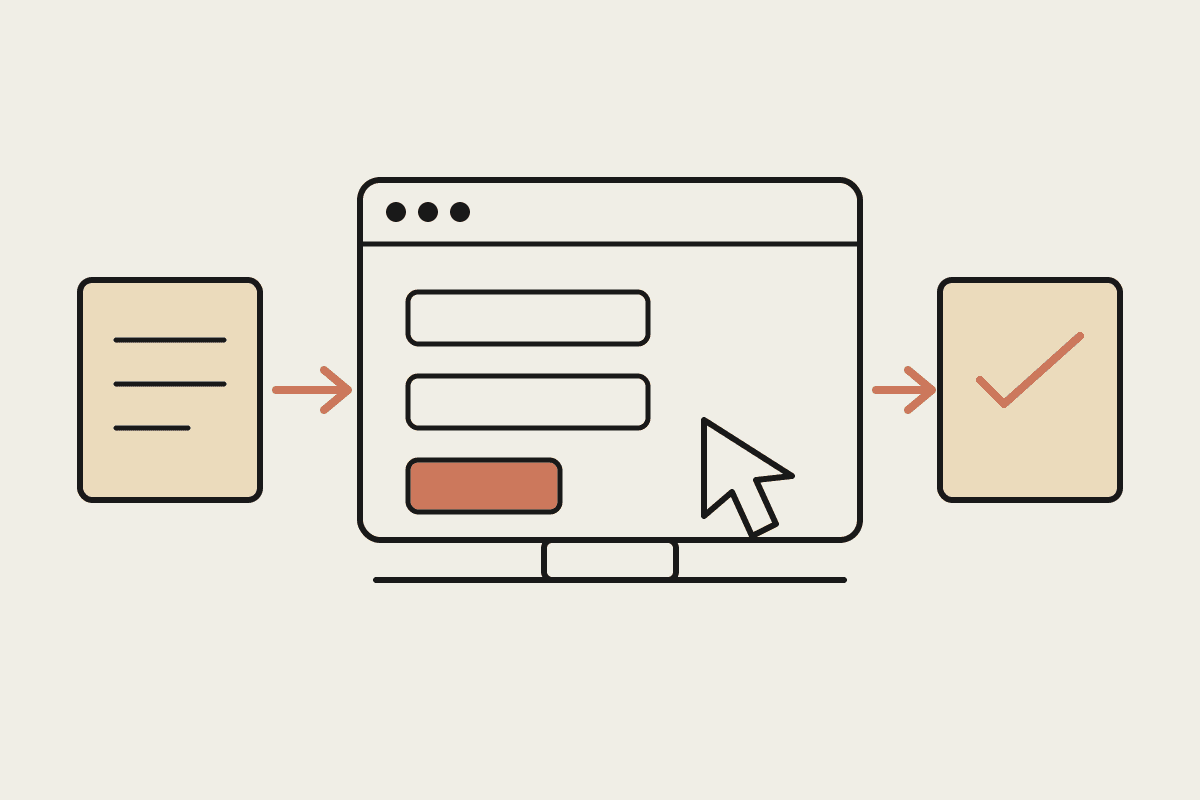
Put together, the shape of a real workflow becomes clear. An agent reads an intake document from the Files API, follows a skill that encodes your team's actual filing procedure, completes the task inside a system with no API using the browser use tool, and saves the result back as a file. That's a working process rather than a demo.
The number that matters
One customer running claims workflows through legacy healthcare and insurance systems reported their longest workflow went from 32 minutes to 13. Cost per task fell about 30% across every workflow tested, and completion hit 100%, with no changes to their prompts.
That last detail is the interesting one. The improvement came from the GA upgrade rather than a rebuild on their end, which suggests anyone already running something similar in beta should re-measure before assuming their current numbers still hold.
Where this lands for Australian businesses
The workflows worth looking at first share a few characteristics:
Someone does it by hand every week, and the only reason is that the software won't cooperate.
The steps are consistent enough to write down, even if nobody ever has.
The system involved is one you don't control and can't realistically change.
The cost of a mistake is recoverable, so a human check at the end is enough rather than a human at every step.
Practice management systems, supplier portals, and state government lodgement sites turn up constantly on that list for Sydney and Melbourne businesses. So do insurance and claims workflows, which is presumably why that's where the published numbers come from.
What to be careful about
Computer use working reliably doesn't mean it should run unsupervised. An agent operating a portal on your behalf is taking real actions in a system of record, and the guardrails matter as much as the automation.
Two things worth deciding upfront: which actions require a human confirmation before they commit, and how you'd reconstruct what the agent did if someone asks. The second is easy to build in at the start and awkward to retrofit, particularly if you're in a sector where an auditor or a regulator might reasonably want the answer.
It's also worth being honest that a screen-driven automation is more brittle than an API integration. A vendor redesigning their portal can break it. That's a manageable risk if you know it exists and have someone watching, and an unpleasant surprise if you don't.
Why this is worth your attention now
If the reason you've held off on agents is that your systems don't talk to each other, that objection just got considerably weaker.
The useful next step is a short workflow audit: find the processes still done by hand because the software won't cooperate, and check whether each is now a computer-use problem rather than a wait-for-the-vendor problem. For most Australian SMBs that audit runs A$3,500 to A$6,000 and produces a ranked list of what's worth automating first, which is usually more valuable than the automation itself.
If you've got a manual workflow that exists purely because a system has no API, it's worth checking whether that's still true. Book a time to talk it through.