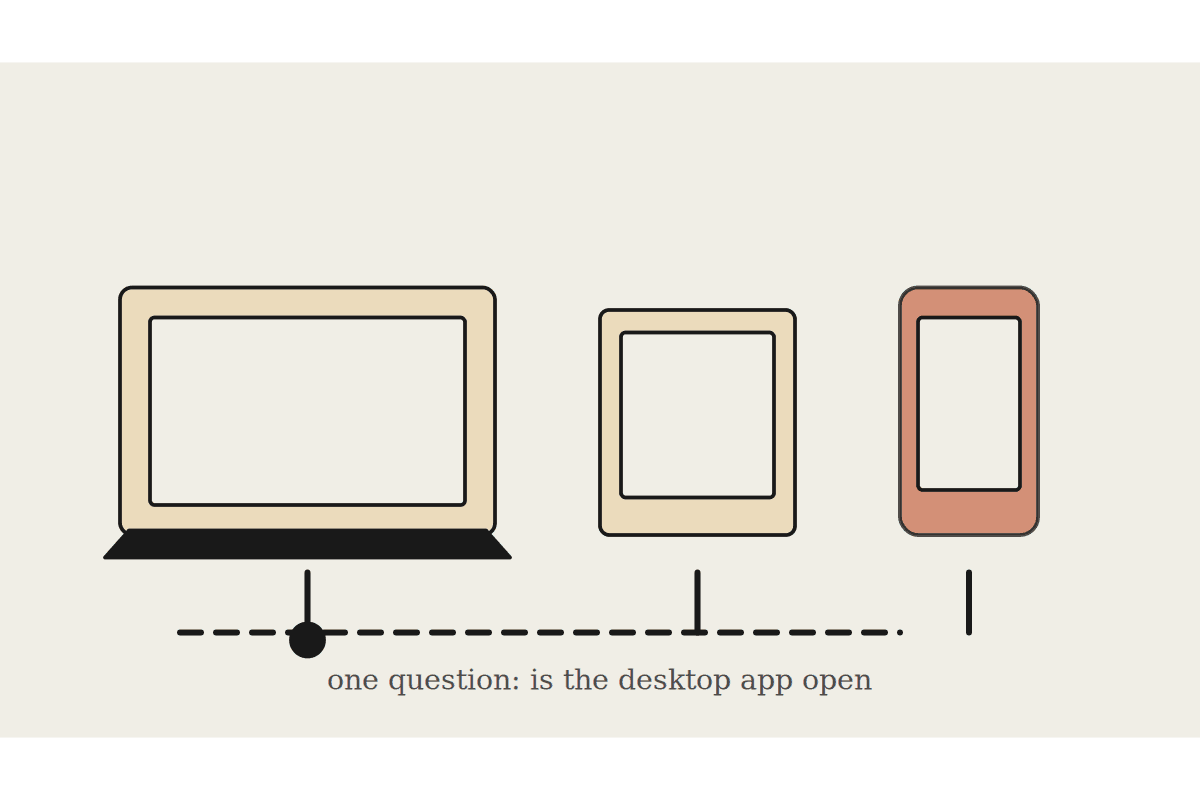
Anthropic publishes a feature table for Cowork across desktop, web and mobile. Read it once and you get a list of ticks and crosses. Read it twice and you notice most of the asterisks trace back to a single question: is the Claude desktop app open on the computer that holds your files.
The documentation states it plainly. A cloud session can read and write files in folders you have connected only while the desktop app is open on that computer. If the app is closed, the session keeps running but cannot reach your local files.
What genuinely works everywhere
Starting, steering and reviewing tasks.
Resuming a session on a different surface, because sessions follow your account rather than your device.
Connectors, skills and plugins.
Previewing files Claude has created.
Scheduled tasks, which run in the cloud and need no device at all.
Projects.
That is a real answer to the question of whether you can run your business from a phone between site visits. For anything living in connected services, yes, and better than most people expect.
What depends on the desktop machine
Local file access.
Browser use for automation.
Computer use.
All three can be started from web or mobile, and all three execute through the desktop app. The surface in your hand is the remote control. The desktop is the machine doing the work. One feature is desktop only with no workaround at all: live artifacts do not exist on web or mobile.
The rollout consequence
This is the difference between a Cowork rollout that survives contact with a real Australian office and one that quietly disappoints half the staff. Two decisions follow from it.
Decide per staff member whether their work is service based or file based. Service based staff can work from anywhere. File based staff need a machine that stays awake.
Move the files that matter into connected services wherever the business reasonably can, because that removes the dependency rather than managing it.
A sales manager working out of Gmail, the CRM and Drive gets the full experience from a phone in a car park in Parramatta. An operations manager whose working life is a folder of spreadsheets on one laptop does not, and no plan tier changes that. It is a data location problem wearing a licensing costume.
Plans and the fine print
Beta access requires Pro, Max or Team, with Enterprise depending on admin enablement. Computer use is a research preview for Pro and Max plans only. Projects tied to a local folder support Cowork sessions on desktop only, and changes will not persist unless they are saved.
For a team of ten in Sydney, the practical planning number is not the licence cost. It is whether you are also changing where files live. That migration is usually a few days of work and it decides whether the tool is useful to a third of your staff or all of them. Against a fully loaded operations salary near $110,000, getting that call right pays back inside a quarter.
Why the fault line exists at all
It is worth understanding the reason, because it stops people treating it as a bug that will be fixed shortly. A cloud session runs in an isolated environment on Anthropic infrastructure. It has no route to a folder on a laptop in Wollongong. The desktop app is what brokers that connection, checking each request against the folders you connected. Close the app and the broker is gone, so the session carries on doing everything that does not need your disk.
Framed that way, the behaviour is the security model working rather than a limitation. The alternative would be a standing tunnel into staff machines, which is precisely what a security reviewer would refuse.
The Chrome side panel wrinkle
There is one more surface worth naming. The Chrome side panel starts Cowork directly, with no chat or Cowork selector, which makes it the fastest way in for people who live in the browser. It also means a session can see the pages you have open, including anything behind a login.
That is useful and it deserves a habit rather than a policy: close the tabs that are not part of the job before you start one. Same instinct as clearing a whiteboard before a client walks in.
The test worth running before you buy seats
Take three people who do genuinely different jobs. For each, list the five things they would most want handed off. Then mark each item as service based or file based.
If most of the list is service based, buy the seats and start. If most of it is file based, spend the first fortnight moving those files into a connected service, then buy the seats. Doing it in that order avoids the common outcome where licences are paid for a month before anyone can use them properly.
The mapping usually comes out around two thirds fine anywhere, one third needing a desk. That is a perfectly workable answer, and it is a much better thing to know in week one than in week six.
If you want that mapping done properly before a rollout, it takes about an hour and saves a quarter of second guessing. Start at /contact.
Where to go next
If you are setting Cowork up from scratch, start with Claude Cowork setup guide. Two pieces that sit closest to this one: